Updated: February 14, 2026
Home › FinTech & Modern Money Tools › Neobanks & Digital Banking Platforms › Best Free Mobile Banking Apps of 2026
About the Author
Don Briscoe is a financial systems coach with 12+ years helping Millennials and Gen Z escape paycheck-to-paycheck cycles. He founded PersonalOne to provide the financial education he wished existed—structured, honest, and free.
- Free mobile banking apps have outpaced traditional banks by cutting fees and adding features people actually use.
- The best ones offer instant alerts, early direct deposit, automated saving, and built-in budgeting — with no monthly fee and no minimum balance.
- Top picks for 2026: Chime, Varo, Ally, Capital One 360, Discover Bank, and GO2bank.
- “Free” should mean fee-free and functional — use the checklist in this article before you download anything.
- Match the app to your use case: irregular income, autopilot saving, or simple daily banking each have a best-fit option.
Traditional banks have been slow to evolve. Free mobile banking apps stepped up with smarter features and fewer unnecessary fees — built for how we manage money now, not how people banked in 2009.
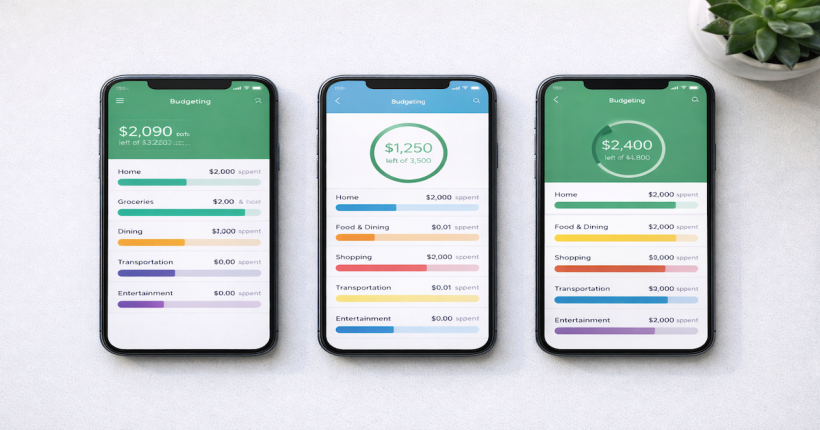
Most of these apps offer no-minimum checking, automated savings, instant notifications, and modern budgeting tools that make it easier to spot overspending before it becomes a “how did my account get here?” moment.
This guide breaks down the top free mobile banking apps for 2026 and what to look for so you choose the one that fits your financial life.
Side-by-Side: Top Free Mobile Banking Apps Compared
| App / Bank | Why It’s Worth Trying | Best For |
|---|---|---|
| Chime | No monthly fees, no minimums, early direct deposit, instant alerts, and fee-free overdraft option (SpotMe). | Everyday banking, irregular income, getting paid early |
| Varo Bank | Fully digital, clean app experience, no monthly fees, and a simple setup for day-to-day money management. | Minimalist banking and simple automation |
| Ally Bank | Strong mobile experience, transparent fees, and solid checking/savings options in one place. | Convenience + interest-friendly banking |
| Capital One 360 Checking | No minimum balance requirements, reliable mobile tools, and broad accessibility. | People who want a recognizable bank with modern features |
| Discover Bank | No monthly fee checking, a well-rated app, and straightforward banking without surprise charges. | Simplicity and stability |
| GO2bank | Designed for direct deposit users and everyday convenience; strong mobile basics and paycheck tools. | Gig workers, direct deposit users, convenience-first |
Free Mobile Banking Apps: Feature Checklist
Before you download anything, use this checklist. “Free” should mean fee-free and functional.
- Truly fee-free: no monthly maintenance, no minimum balance, no overdraft gotchas.
- Automation: roundup savings, bill reminders, and smart budgets.
- Fast money movement: early direct deposit, instant transfers, P2P payments, and cash deposit options if you need them.
- Rewards or yield: cashback partners or access to high-yield savings accounts for money you’re not spending.
- Security: 2FA, card freezing, and insured deposits.
Quick clarity: These apps aren’t always the same as “digital-only banks.” They’re mobile-first tools designed to run your daily money life — spending, saving, and tracking — in one place.
How to Choose (and Why These Apps Work)
Here’s what makes free mobile banking apps more than a trend: they replace confusing fee structures with real value — speed, automation, and transparency.
1. Free means no monthly fee and no minimum balance
That’s the baseline. If an app calls itself “free” but requires a minimum balance or quietly charges for basic features, keep moving.
2. Mobile-first matters
These platforms are built for quick check deposits, simple transfers, clean notifications, and fewer “call customer service and wait 45 minutes” moments.
3. Features for freelancers and side hustlers
If your income isn’t steady, you want flexibility — early direct deposit, fast transfers, and alerts that help you plan week to week. Don’t miss our guide to best banks for freelancers, which breaks down setups that handle irregular payouts and multiple income streams.
4. Better UX = better habits
Clean apps lead to cleaner money decisions. It’s easier to save and track when the app doesn’t make you feel like you’re filing taxes.
Why Everyone’s Switching to Free Mobile Banking Apps
These apps disrupted the old model by generating revenue through interchange fees and optional upgrades — not by hitting customers with hidden costs.
For Millennials and Gen Z, the appeal is simple: transparency, instant control, and automation that feels supportive instead of judgmental.
If you want to go deeper on security, see our guide to the most secure no-fee banks for a breakdown of which apps take data protection most seriously.
How to Match the Right App to Your Use Case
- Saving on autopilot: choose an app with automation, then park extra cash in a high-yield savings account.
- Irregular income: prioritize early direct deposit, fee flexibility, and alerts that help you plan ahead.
- Simple and stable: pick the app with the cleanest interface and the least friction.
Why “Free” Doesn’t Mean “Cheap”
“Free” can actually mean better. By removing expensive infrastructure — branches, paper processes, legacy systems — many mobile-first providers put more value back into the user experience.
Just make sure your deposits are insured — either directly or through partner banks. For consumer guidance on evaluating financial products, the Consumer Financial Protection Bureau is a reliable place to start. To verify deposit protection on a specific bank, the FDIC BankFind tool confirms whether a bank is federally insured.
Compare all neobanks and digital banking platforms
See how today’s digital banks stack up across fees, features, and FDIC coverage.
Neobanks & Digital Banking Platforms →Frequently Asked Questions
Are free mobile banking apps safe?
Reputable apps use encryption, 2FA, and insured deposits — either directly or via partner institutions. Always verify deposit insurance if it’s not clearly stated before opening an account.
Can I deposit cash with these apps?
Some apps allow cash deposits through retail partners. Check the app’s deposit network before signing up if cash deposits are part of your routine.
Do free mobile banking apps work abroad?
Most are focused primarily on U.S. users. If international access matters, look for strong foreign transaction fee policies and transparent exchange-rate disclosures before committing.
Resources & Related Reading
Disclaimer: The information provided on PersonalOne is for educational purposes only and does not constitute financial, legal, tax, or investment advice. PersonalOne and its content creators are not licensed financial advisors, attorneys, CPAs, or investment professionals. The frameworks, systems, and strategies presented here are general approaches to personal finance management and may not be suitable for every individual’s unique circumstances. Before making significant financial decisions, consult with qualified professionals such as a licensed financial advisor, CPA, or attorney who can assess your specific situation. Past performance and example scenarios do not guarantee future results. All financial strategies involve risk, and outcomes vary. PersonalOne receives no compensation for recommending specific financial products or services unless explicitly disclosed as sponsored content or affiliate relationships.