Updated: March 21, 2026
Home › Side Hustles & Entrepreneurship › Business Finance Structure › Automate or Stagnate: Business Automation Tools Every Small Business Needs
Automate or Stagnate: Business Automation Tools Every Small Business Needs
TL;DR
— Business automation is no longer exclusive to large companies. Every operational category a small business manages — scheduling, invoicing, customer follow-up, financial tracking, workflow integration — has accessible, affordable automation tools in 2026 that replace manual steps with consistent, reliable processes.
— The financial automation layer delivers the most immediate return: automated invoicing eliminates payment delays, automated expense categorization keeps books clean, and automated tax reserves prevent the quarterly tax crisis that derails more small businesses than any other single financial failure.
— CRM automation — using tools like HubSpot to automate lead follow-up, customer onboarding, and nurture sequences — directly recovers revenue that manual follow-up processes lose through delays, inconsistency, and human oversight.
— Workflow integration tools like Zapier and Make connect existing platforms so that a single customer action triggers a coordinated sequence across multiple systems, eliminating the manual work of moving information between tools.
— The right implementation approach is not to automate everything simultaneously. Start with the single most time-consuming repetitive task, automate it completely, measure the time saved, then move to the next. Twelve months of one new automation per month produces a business that operates meaningfully faster with no increase in headcount.
Business automation used to require a significant technology budget and a dedicated IT function to manage it. In 2026, the same category of operational capability — automated scheduling, invoicing, customer follow-up, financial tracking, and workflow integration — is available to a solo operator with a laptop and a $50/month software budget. The barrier is not cost or technical complexity. It is the decision to build systems rather than continuing to manage each recurring task manually.
The compounding cost of manual operations is invisible until it is measured. A business owner spending forty-five minutes per day on tasks that could be automated — sending invoices, following up with prospects, categorizing expenses, posting content — is spending nearly four full working weeks per year on work that produces no strategic value. Automation does not replace the thinking, the relationships, or the judgment that create business value. It replaces the execution of recurring, rule-based tasks that follow predictable patterns and do not require human decision-making each time they occur.
Why Automation and Financial Structure Work Together
Understanding how to manage business money properly and building automation into financial operations are not separate initiatives — they are the same initiative at different stages. Clean financial structure creates the data that makes automation trustworthy. Automation makes financial structure consistent rather than dependent on the owner remembering to do things. A business with clean accounts and automated invoicing, expense tracking, and tax reserves is not just more organized — it is operating from a financial position that allows clear decision-making at every moment rather than reconstructed guesswork at year-end.
The businesses that fail financially are rarely failing because they lack revenue. They fail because the gap between earned revenue and available cash is not visible in real time — because invoices were sent late, payments were not followed up on, expenses were not categorized, and quarterly tax obligations arrived as a surprise. Every one of these failure modes is addressable with automation. The financial infrastructure that prevents them is covered more broadly in the cloud tools guide, which covers the full stack of digital business infrastructure automation integrates with.
Category 1: Scheduling and Booking Automation
Scheduling is one of the highest-friction points in service business operations — and one of the most completely automatable. The manual back-and-forth of finding a meeting time, confirming it, sending reminders, and rescheduling when plans change can consume twenty to thirty minutes per appointment for businesses managing a moderate client volume. Automated scheduling tools eliminate this entirely.
Calendly is the most widely adopted scheduling automation tool for service businesses, consultants, and freelancers. It connects to the owner’s calendar, displays available time slots to the prospect or client, handles confirmation emails and reminder sequences, and integrates with video conferencing platforms to automatically generate meeting links. The client books without the owner’s involvement, and both parties receive automated confirmations and reminders. Calendly’s free tier covers single-event-type use cases adequately; paid tiers add multiple event types, team scheduling, and deeper integration capabilities.
Acuity Scheduling provides more customization for businesses that need intake forms, deposit collection at booking, or package and service-based scheduling rather than simple meeting booking. It is particularly well suited for health and wellness practitioners, coaches, and service providers whose booking process involves pre-appointment information collection. Square Appointments integrates scheduling with point-of-sale and payment processing for service businesses that handle in-person appointments and want their booking, payment, and client management infrastructure in a single system.
Category 2: Invoicing and Payment Automation
Late payment is one of the most common cash flow problems for small service businesses — and manual invoicing is the primary cause. When sending an invoice requires the owner to manually create the document, address it, set a due date, and follow up when it goes unpaid, the process routinely gets deferred or falls through. Automated invoicing eliminates the deferral entirely.
Stripe Billing handles recurring subscription invoicing, one-time invoice creation, automated payment retries on failed charges, and dunning sequences (automated follow-up emails to customers with overdue balances) without any manual intervention after initial setup. For businesses with any recurring revenue component, Stripe Billing’s automated retry and dunning logic alone typically recovers 10 to 15% of initially failed payments that would otherwise require manual follow-up. QuickBooks Online provides integrated invoicing with automated overdue reminders, payment tracking, and automatic reconciliation against bank account transactions — keeping the accounting and invoicing layers synchronized without manual data entry between systems.
Square Invoices is appropriate for businesses that already use Square for in-person transactions and want invoicing in the same platform, reducing the number of separate systems managing financial data. For any business sending more than ten invoices per month, automated invoicing pays for itself in recovered time within the first week of implementation.
Category 3: CRM and Customer Follow-Up Automation
Revenue lost to manual follow-up failure is the most commonly underestimated business leak. A prospect who fills out a contact form and receives a response three days later converts at a fraction of the rate of a prospect who receives a response in three minutes. A client who completed onboarding three months ago and has not heard from the business since is a client being passively handed to a competitor. CRM automation closes both gaps by ensuring that every customer touchpoint happens on the right schedule, every time, without depending on the owner’s memory or attention.
HubSpot CRM at its free tier provides automated lead qualification workflows, follow-up email sequences triggered by prospect actions, deal pipeline management with automated stage transitions, and customer onboarding workflows. For a solo operator or small team, HubSpot free tier replaces a significant amount of the manual relationship management overhead that previously required either expensive virtual assistant time or constant owner attention. When a prospect submits a form, HubSpot can automatically add them to the CRM, trigger a welcome sequence, notify the relevant team member, and schedule a follow-up task — all without manual intervention.
ActiveCampaign is more sophisticated in its automation mapping capabilities and appropriate for businesses with complex multi-stage customer journeys, conditional automation logic, or advanced segmentation requirements. The higher cost relative to HubSpot is justified primarily for businesses managing large contact lists with meaningful differentiation between segments. MailerLite fills the gap for service businesses whose primary customer relationship management need is email marketing automation rather than full CRM functionality — automated newsletter sequences, product launch workflows, and client communication campaigns at a lower cost than full CRM platforms.
Category 4: Financial Automation — Budgeting, Cash Flow, and Expense Tracking
Financial automation is the highest-return automation category for most small businesses because its impact is both immediate and compounding. A business with automated financial tracking knows its actual profitability, cash position, and expense trends in real time rather than discovering them during quarterly reviews or annual tax preparation. That real-time visibility changes the quality of every financial decision the owner makes.
QuickBooks Online automates the core accounting layer: bank transaction import and categorization, recurring expense recording, payroll calculation, sales tax computation, and financial report generation. The automation reduces the ongoing accounting time investment from hours per week to minutes, while producing the clean financial records that support loan applications, investor conversations, and tax filing. For businesses that want a complementary financial dashboard showing cash flow, net worth, and spending patterns across all business and personal accounts in a single view, Monarch Money (affiliate) provides that visibility alongside dedicated accounting software. The Monarch review covers the specific use cases where it adds the most value for self-employed operators.
Wave provides free accounting automation for early-stage businesses and freelancers who need clean income and expense tracking before revenue justifies QuickBooks. Xero is a strong QuickBooks alternative for businesses that prefer its interface or need specific integrations not available in QuickBooks. All three handle the core financial automation need: replacing manual transaction entry with automated bank connection and categorization that keeps the books current without daily owner attention.
The most critical financial automation that most small business owners neglect: automatic tax reserve transfers. Every time a client payment arrives in the business account, an automated transfer of 25 to 30% should move to a dedicated tax savings account before it can be spent. This single automation, set up once, eliminates the quarterly estimated tax crisis that consistently catches manually managed businesses unprepared.
Category 5: Workflow Integration — Connecting All the Pieces
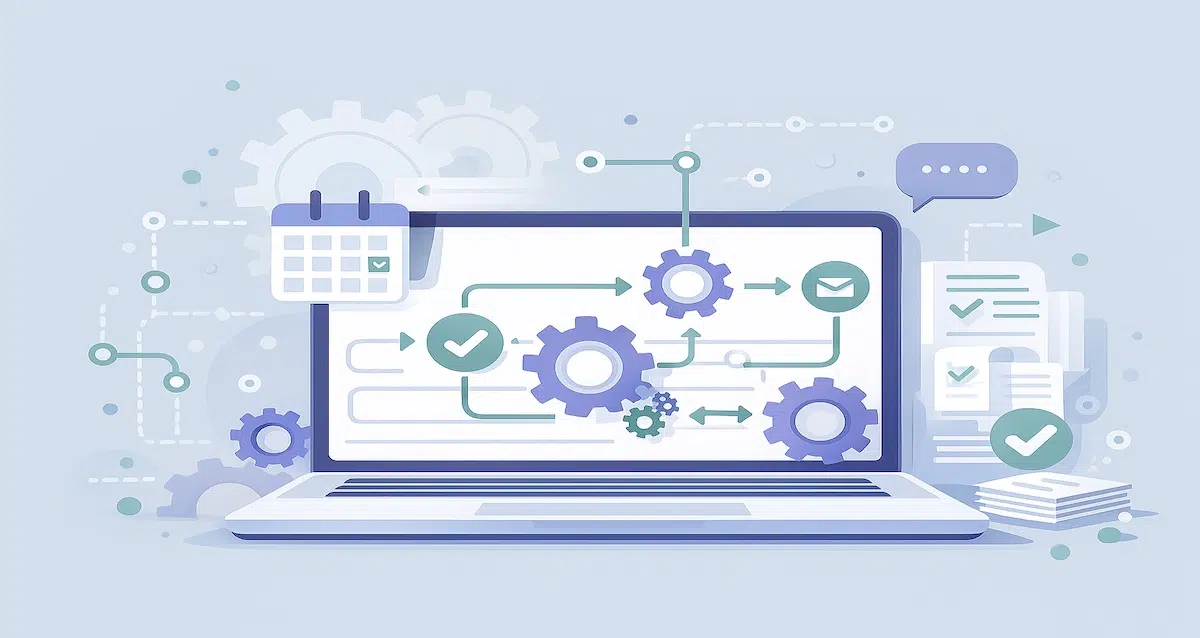
Individual tool automation is valuable. Cross-tool workflow integration multiplies it. The moment a business has five or six separate platforms managing different functions — CRM, accounting, scheduling, project management, communication — those platforms generate data that needs to move between them. Without integration, moving that data is manual work. With integration through a workflow automation platform, it happens automatically based on defined triggers and rules.
Zapier is the most widely used workflow integration platform, connecting over 5,000 apps through a trigger-and-action framework that requires no coding. A workflow might trigger when a new contact fills out a website form (trigger), automatically add them to HubSpot CRM (action 1), send a welcome email from the email marketing platform (action 2), create a task in the project management tool (action 3), and send a Slack notification to the team (action 4) — all without manual input. Similarly, when a customer completes payment through Stripe (trigger), Zapier can automatically create the invoice in QuickBooks (action 1), move the customer to the onboarding stage in HubSpot (action 2), and send a personalized welcome sequence from the email platform (action 3). Each individual action is simple. The compound effect of having them happen automatically for every customer, every time, is the operational consistency that previously required dedicated administrative staff.
Make (formerly Integromat) provides more sophisticated multi-step automation at a lower price point than Zapier’s upper tiers and is worth evaluating for businesses with complex conditional logic requirements or high automation volume. Notion automations handle internal workflow triggers within a single workspace — updating project statuses, sending internal notifications, and maintaining documentation currency when specific conditions are met — which is most valuable for businesses using Notion as their primary knowledge management and project tracking platform.
Category 6: AI-Assisted Automation
AI tools in 2026 automate a meaningful category of business tasks that previously required human judgment but are in practice highly formulaic: first-draft content creation, customer support ticket triage, email response drafting, social media post generation, meeting summary production, and proposal generation from templates. These are not tasks where AI replaces the human judgment that creates value — they are tasks where the human judgment has already been applied and the remaining work is mechanical execution of a pattern.
The practical categories where AI automation delivers consistent small business value are customer support first-response drafting (AI generates a draft response based on the inquiry, the human reviews and sends or edits), content repurposing (AI converts a blog post into social media variations, email newsletter summaries, or video script outlines), proposal and contract first drafts from templates, and meeting note summarization. The NIST AI resource center covers the decision-making framework for evaluating AI tool adoption, including risk considerations that are relevant before deploying AI in customer-facing contexts.
The most important principle for AI automation in small business contexts: deploy AI on tasks where the output can be reviewed before reaching a customer or affecting a financial record. AI-generated customer support responses sent without human review, AI-generated financial entries not reconciled against actual transactions, or AI-generated contracts used without legal review all introduce error risk that exceeds the time saved. AI as a first-draft generator reviewed by the human decision-maker is a high-value model. AI as a fully autonomous operator of customer-facing or financially consequential workflows requires substantially more oversight infrastructure than most small businesses have in place.
Automation builds consistency. Consistency is what allows a business to grow without the owner working proportionally more hours.
The complete side hustles and entrepreneurship hub covers how to build income, set up business financial systems, and grow toward financial independence at every stage.
Explore Side Hustles & Entrepreneurship →How to Implement Business Automation Without Getting Overwhelmed
The most common automation implementation failure is attempting to automate everything simultaneously. Identifying every possible automation, selecting every relevant tool, and trying to configure them all in parallel produces a half-finished automation stack where nothing works reliably and the owner has spent two weeks on setup instead of the recurring tasks the automation was supposed to eliminate.
Step 1: Automate the single most painful repetitive task first. Identify the recurring task that consumes the most time or creates the most anxiety when it falls through the cracks. Common first candidates: invoice sending and payment follow-up, appointment scheduling and reminders, or prospect follow-up after initial contact. Automate that one task completely before moving on. Verify it works reliably for four to six weeks. The consistency the automation delivers is itself motivating — seeing one task run perfectly without attention makes the case for the next one concretely rather than theoretically.
Step 2: Automate the financial layer. Cash flow automation delivers the fastest financial return and the most risk reduction. Automated invoicing, automated payment follow-up, and automated tax reserve transfers should be in place before any marketing or operational automation is prioritized. These three automations alone eliminate the most common sources of small business financial distress — late payment, cash flow gaps, and quarterly tax surprises.
Step 3: Connect tools with workflow integration. Once the individual automations are running reliably, Zapier or Make connects them so that data flows between platforms automatically. Start with the most obvious connection — typically between the CRM and the email marketing platform, or between the payment processor and the accounting software — and add integrations incrementally as the pattern of manual data movement between tools becomes visible.
Step 4: Add one new automation per month. Twelve months of one new monthly automation produces a meaningfully different business by the end of the year — one where the operational overhead has been systematically reduced without any single overwhelming implementation period. Track the time saved from each automation so the ROI is visible rather than assumed.
Resources
NIST — Artificial Intelligence Resource Center
SBA — Digital Tools and Technology Resources for Small Business
IRS — Estimated Taxes for Self-Employed Individuals
FTC — Cybersecurity Resources for Small Businesses
This article is part of the Side Hustles & Entrepreneurship system on PersonalOne — a complete framework for building income outside your primary job at every stage.
Frequently Asked Questions
What are business automation tools?
Business automation tools are software platforms that perform recurring, rule-based tasks automatically without manual intervention each time they occur. The most impactful categories for small businesses are scheduling and appointment management, invoicing and payment follow-up, customer relationship management and follow-up sequences, financial tracking and expense categorization, and workflow integration that moves data between separate platforms based on defined triggers. The defining characteristic of an automatable task is that it follows a predictable pattern where the same inputs reliably produce the same outputs — making the human decision-making component unnecessary for each individual execution.
Are business automation tools expensive?
Most categories have free or low-cost tiers that are fully functional for early-stage businesses. Calendly free handles single-event-type scheduling. HubSpot CRM core features are free. Zapier free tier allows five active automations. Wave accounting is free. The paid tier upgrades for most of these platforms cost $10 to $50 per month each and are justified when the volume of use exceeds the free tier limits or when advanced features — multiple event types, complex automation logic, team access — become necessary. A fully functional automation stack covering scheduling, CRM, invoicing, financial tracking, and workflow integration typically costs $100 to $200 per month total, against a time saving that for most small businesses exceeds ten hours per week.
What tasks should a small business automate first?
Prioritize in order of financial impact: invoicing and payment follow-up first (because late payment is the most direct cash flow risk), then automated tax reserve transfers (because quarterly tax surprises are the most common financial disruption for self-employed operators), then customer follow-up and CRM automation (because lead conversion delay is the most common revenue leak), then scheduling automation (because back-and-forth scheduling is one of the highest-volume low-value time expenditures in most service businesses). Workflow integration tools like Zapier are most valuable after the individual platform automations are established and the data movement requirements between platforms become visible.
How do I choose the right automation tools for my business?
Start by identifying the specific bottleneck — the recurring task consuming the most time or creating the most inconsistency — rather than evaluating tools by feature list. Then evaluate only tools that address that specific bottleneck and integrate with the platforms already in use. A scheduling tool that does not connect to your existing calendar is not an automation upgrade — it is a new maintenance obligation. Integration compatibility matters as much as individual tool capability. The goal is a stack of three to five core platforms that share data automatically, collectively covering financial management, customer management, scheduling, and workflow integration without requiring manual data movement between any of them.
Can AI tools be used safely for small business automation?
Yes, with appropriate oversight. AI automation is most safely deployed on internal tasks where the output is reviewed before reaching a customer or affecting a financial record — first-draft email responses, content repurposing, proposal generation from templates, meeting note summarization. Fully autonomous AI operation of customer-facing communications or financially consequential workflows introduces error risk that typically exceeds the time savings without substantial oversight infrastructure. The NIST AI resource center provides a useful framework for evaluating AI tool adoption decisions, including the risk assessment process relevant to small business contexts.
Disclaimer: This content is for educational purposes only and does not constitute financial, legal, or technology advice. Tool recommendations reflect general suitability for small business use cases and do not constitute endorsements. Pricing, features, and availability for specific platforms change frequently — verify current details directly with each provider. Monarch Money is referenced via an affiliate link, which means PersonalOne may receive compensation if you sign up through that link, at no additional cost to you.