September, 2026
Home › FinTech & Modern Money Tools › Open Banking & AI FinTech › How Plaid Works
How Apps Connect to Your Bank: Plaid Explained
What You Need to Know
— Plaid is the open banking aggregator behind most major financial apps — when Monarch Money, Betterment, Robinhood, or hundreds of other apps connect to your bank, they are usually using Plaid as the data pipeline
— Plaid never gives your bank password to the apps you connect — it handles authentication separately and passes only structured transaction data to the app
— You can see and revoke every Plaid connection at my.plaid.com without going bank by bank
— Plaid connects to over 12,000 financial institutions in the U.S. — if an app can connect to your bank, Plaid is likely the infrastructure making it possible
— Understanding how Plaid works is understanding how open banking actually operates in practice for most people
Plaid Is the Infrastructure Behind Your Financial Apps
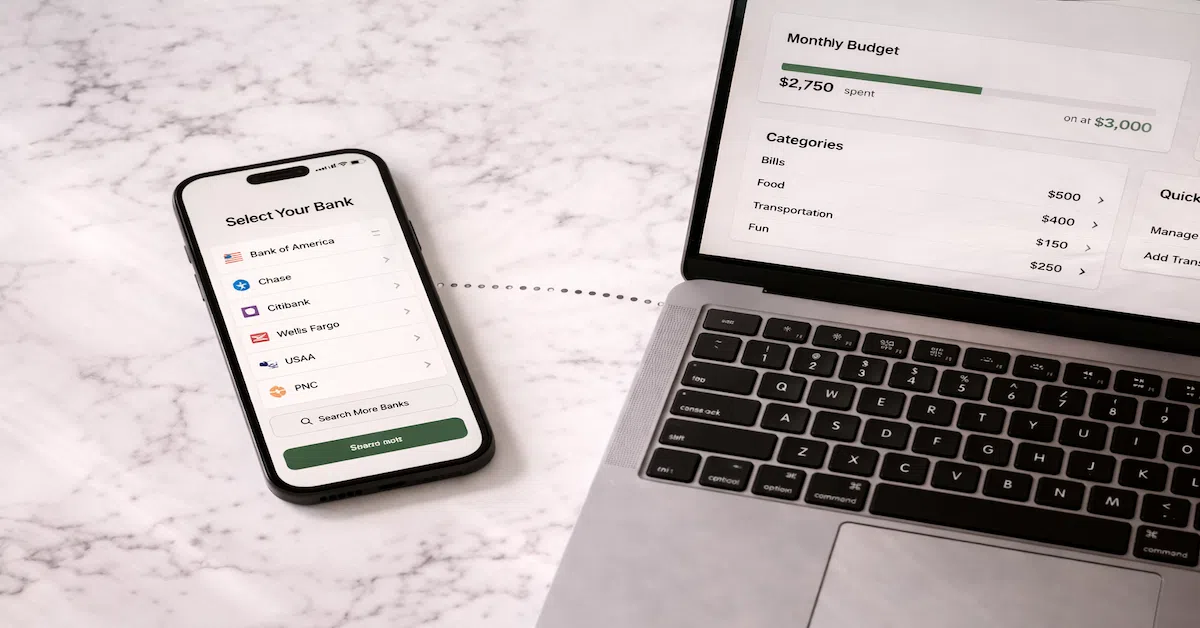
Plaid is the dominant open banking aggregator in the United States — the infrastructure layer that makes it possible for financial apps to connect to your bank accounts securely. When you connect your bank account to a budgeting app, investment platform, or personal finance tool and see the familiar bank-selection screen, you are almost certainly interacting with Plaid. Understanding how Plaid works is understanding how open banking actually functions for most people, and how open banking and AI are changing FinTech tools from the ground up. The full picture of how Plaid and open banking connect to the modern financial tool stack is in the Open Banking & AI FinTech guide.
Plaid connects to over 12,000 financial institutions and processes transactions for tens of thousands of apps. Monarch Money, Betterment, Wealthfront, Robinhood, Venmo, Cash App, Chime, SoFi, and hundreds of other financial apps use Plaid as their banking connection layer. This makes Plaid one of the most consequential pieces of infrastructure in personal finance — not because most users know it exists, but because most users interact with it every day. The broader context for how this infrastructure connects to modern banking and FinTech is in the FinTech & Modern Money Tools guide.
How Plaid Works: The Technical Flow
The connection process works in four steps. When you click “connect your bank” in a financial app, Plaid’s interface loads — a secure window that runs on Plaid’s servers, not the app’s. You select your bank and enter your banking credentials in this Plaid-controlled window. Plaid authenticates with your bank directly, then destroys or tokenizes the credentials — your actual password is not stored by Plaid long-term or passed to the app.
Plaid then receives structured financial data from your bank: account balances, transaction history, account numbers, institution name. It packages this data and passes it to the app that requested the connection. The app receives clean, structured transaction data — not your banking credentials, not a live session with your bank, not any mechanism to initiate transactions.
Going forward, the app periodically requests data refreshes through Plaid. Each refresh pulls the latest transactions and balance data. Plaid maintains the connection token and handles the authentication for each refresh. The app continues to receive only structured data output.
How to See and Manage All Your Plaid Connections
Most people have more active Plaid connections than they realize — every financial app they have ever connected their bank to through Plaid is listed in one place. Go to my.plaid.com and log in with the email address associated with your financial accounts. Plaid will show every app currently connected to your accounts through its infrastructure, which banks each app is connected to, and when the connection was last active.
From this dashboard, you can revoke any individual connection — this immediately terminates that app’s access to your bank data through Plaid. Revoking a connection at the Plaid level is more comprehensive than revoking through the app itself, because it cuts the aggregator-level access rather than relying on the app to properly honor the disconnection request.
The 90-day audit practice: visit my.plaid.com quarterly, review every listed connection, and revoke any app you no longer actively use. If you find connections to apps you do not recognize, revoke them immediately and check your connected apps settings at your bank for any related connections.
What Plaid Can and Cannot Do
| Plaid CAN | Plaid CANNOT |
|---|---|
| Read your transaction history | Initiate transfers or payments (read-only by default) |
| Read your account balances | Change your account settings |
| Read account numbers and institution details | Access accounts you did not specifically connect |
| Verify income and employment through payroll connections | Share your data with apps you have not authorized |
| Facilitate ACH transfers if you have authorized write access for a specific app | Retain your actual bank password after connection |
Plaid is the pipe. You control what flows through it.
The full guide to open banking safety, how aggregators work, and how to use these tools correctly is in the Open Banking & AI FinTech guide.
Explore Open Banking & AI FinTech →Resources
Official Sources
CFPB — Personal Financial Data Rights Rule — The regulatory framework governing how aggregators like Plaid must handle consumer financial data.
FTC — Financial Privacy — Consumer rights regarding data collected by financial service aggregators and third-party apps.
The full framework lives in the FinTech & Modern Money Tools guide.
Frequently Asked Questions
What apps use Plaid?
Thousands of apps use Plaid, including Monarch Money, Betterment, Wealthfront, Robinhood, Venmo, Cash App, Chime, SoFi, Acorns, YNAB, Copilot, and many others. If you have ever seen a bank-selection screen when connecting a financial app, Plaid was likely the aggregator. You can see every app using Plaid to access your accounts at my.plaid.com.
Does Plaid store my bank password?
Not after the initial connection. Plaid authenticates with your bank to establish the connection, then stores a token rather than your actual password. Your banking credentials are not retained in a way that the apps connected through Plaid can access.
How do I delete my Plaid data?
Visit my.plaid.com, log in, and you can revoke individual connections or submit a data deletion request. Revoking connections removes the active access. A full data deletion request removes all stored data Plaid holds about you. Note that revoking at the Plaid level may break connected app features until you reconnect through the app.
Disclaimer: This article is for informational and educational purposes only. Plaid’s features, data practices, and connected institution list change — verify current information directly at plaid.com and my.plaid.com. This content does not constitute financial or legal advice.