February 20, 2026
Home > Banking Systems > Where Your Paycheck Should Go First > Direct Deposit Splitting: The Smart Way to Control Cash Flow
TL;DR — Direct Deposit Splitting
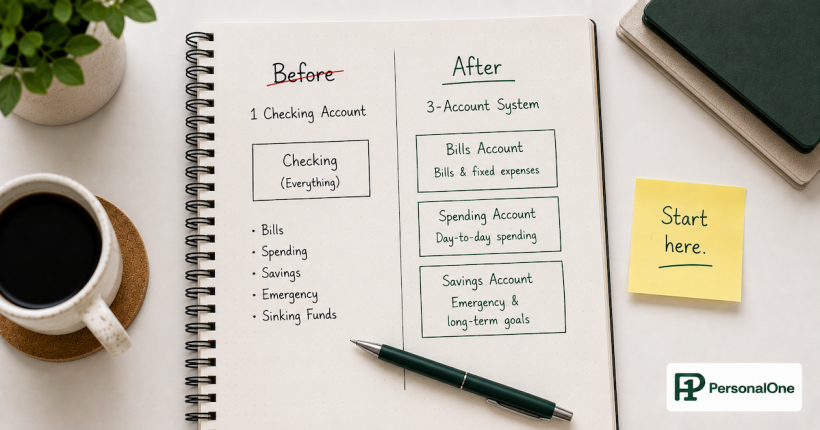
Direct deposit splitting means your employer divides your paycheck at the source and deposits different amounts directly into separate accounts — bills account, savings account, and spending account. Money arrives exactly where it belongs without any manual transfers.
Why this matters: You eliminate the gap between knowing you should save or pay bills and actually doing it. The distribution happens automatically before you see the money, removing willpower, decision fatigue, and the temptation to spend first and save later.
What you'll learn: How to set up direct deposit splitting with your employer, how to calculate the right split amounts, common mistakes to avoid, and what to do if your employer doesn't support splitting.
The uncomfortable truth about manual money management: you will forget. You will get busy. You will talk yourself out of it.
Even people with solid intentions fail at consistently transferring money to savings or moving funds to a bills account every payday. This isn't a character flaw — it's a design flaw. When your entire paycheck lands in one account and you're responsible for distributing it manually, you're working against how the human brain processes available resources. The brain sees a balance and registers it as spendable. All of it.
Direct deposit splitting solves this by removing you from the equation. The distribution happens before you see the money, which means it happens every time.
What Is Direct Deposit Splitting?
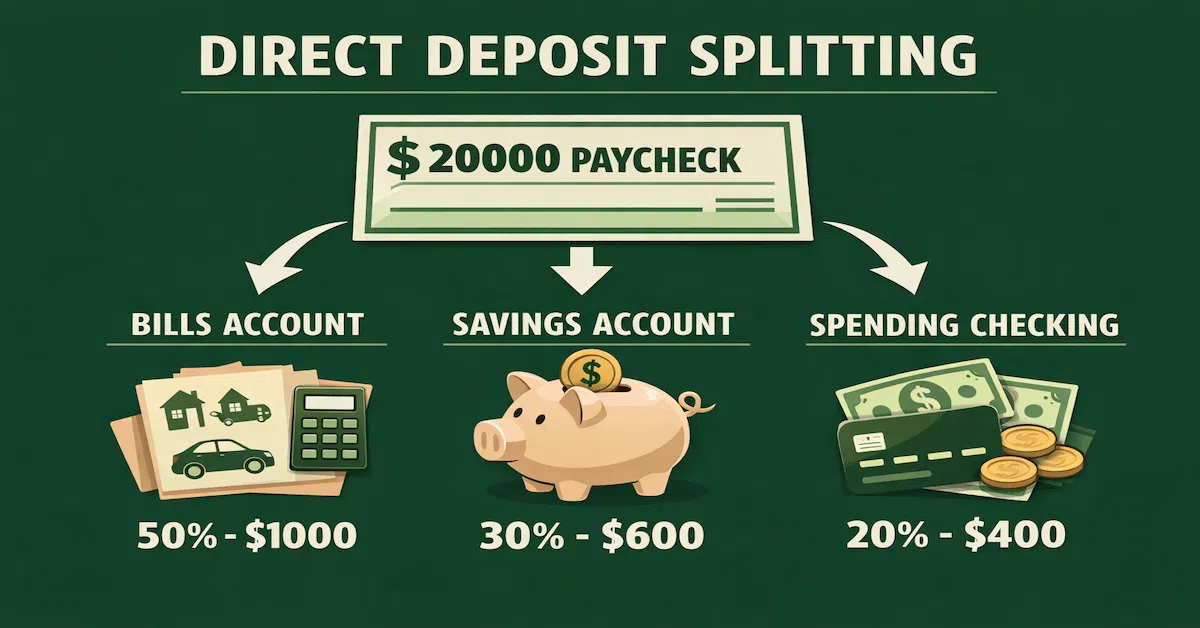
Direct deposit splitting — also called split direct deposit or paycheck splitting — is when your employer divides your paycheck into multiple pieces and deposits each piece into different bank accounts simultaneously.
Instead of the manual approach:
- $2,000 → Primary Checking
- You manually transfer $800 to bills account
- You manually transfer $300 to savings
- $900 remains in checking for spending
The split approach:
- $800 → Bills Account (automatic)
- $300 → Savings Account (automatic)
- $900 → Spending Checking (automatic)
Your paycheck never sits as one lump sum in your checking account. It arrives pre-distributed according to your plan.
This isn't new technology or a special banking feature. It's a standard payroll function that most employers support but few employees use because they don't know it exists.
How This Fits Into Your Complete Money Flow System
Direct deposit splitting is the implementation mechanism for paycheck routing system — it's how W-2 employees automate the paycheck distribution plan they've designed. Before setting your split amounts, understand where your paycheck should go first and in what order. The split is how you execute that decision automatically, every payday, without any further action required.
Why Splitting Works When Manual Transfers Fail
It Happens Before You See the Money
When your full paycheck hits checking, your brain registers that balance as money you have. Even if you rationally know $800 is for bills and $300 is for savings, the full amount feels spendable. Direct deposit splitting means those amounts never appear in your spending account. Your brain never categorizes them as available, so there's no psychological pull to access them.
Zero Ongoing Decision Points
Manual transfers require you to remember, decide, confirm, and repeat every payday — four decision points where you can procrastinate, forget, or change your mind. Direct deposit splitting has zero ongoing decision points. You set it up once, and it runs until you change it.
Forces Pay Yourself First
When savings is a manual step, it competes with every other financial need. "I'll save after bills. After this one purchase. Next paycheck." Direct deposit splitting makes savings non-negotiable — the money moves to savings at the same moment it arrives as income, before any spending decision is possible.
Closes the Intention-Execution Gap
Manual plans fail in the gap between intention and execution. You intend to transfer $300 to savings tonight, but tonight arrives and the moment has passed. Splitting eliminates that gap entirely. If you intend to save $300 per paycheck, it happens every single time without relying on the right conditions or the right mood.
How to Set Up Direct Deposit Splitting
Step 1 — Check Your Employer's Capabilities
Most employers support direct deposit splitting, but implementation varies by payroll system. Contact HR or payroll administration and ask: Does the system support split direct deposit? Can I split by dollar amount, percentage, or both? How many accounts can I split across? Is there a form to complete?
Common payroll platforms — ADP, Paychex, Gusto — all support splitting. Smaller companies using manual payroll may have limitations, but most can accommodate two to three account splits.
Step 2 — Decide Your Split Strategy
Option A: Fixed Dollar Amounts (recommended for most) — Bills Account: $800 per paycheck; Savings Account: $300 per paycheck; Spending Checking: remainder. Works best when bills are fixed costs and savings goals are fixed targets.
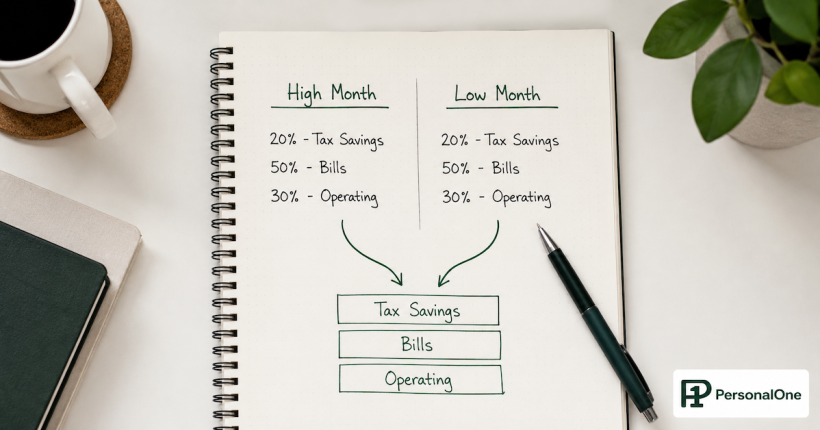
Option B: Percentage Split — Bills: 40%; Savings: 15%; Spending: 45%. Works best when income varies (commissions, overtime). Percentages ensure savings and bills adjust proportionally with income fluctuations.
Option C: Hybrid — Bills: $800 fixed; Savings: 10% of remainder; Spending: remainder. Some payroll systems support mixing fixed amounts and percentages. This gives predictable bill coverage while savings scales with income.
Step 3 — Calculate Your Split Amounts
Bills account: Add all monthly fixed expenses (rent, car payment, insurance, utilities, subscriptions). Divide by number of paychecks per month. Example: $1,600 monthly ÷ 2 paychecks = $800 per paycheck.
Savings account: Set your monthly savings target and divide by paychecks. Example: $400/month goal ÷ 2 = $200 per paycheck.
Spending account: Whatever remains. Example: $2,000 paycheck − $800 bills − $200 savings = $1,000 spending.
Step 4 — Gather Account Information
For each destination account: bank name, account type (checking or savings), 9-digit routing number, and account number. These appear on printed checks or in your online banking account details.
Verify Account Numbers Before Submitting
Before submitting split information to payroll, send a $1 test transfer from your current account to each destination account. This confirms routing numbers are correct and accounts are active. A payroll error means your paycheck doesn't arrive on schedule — the verification step is worth taking.
Step 5 — Complete the Direct Deposit Form
Most employers provide a paper form or online portal. You'll specify each account, the amount or percentage, and routing and account numbers. Always designate one account as "remainder" or "balance of net pay" — this ensures your full paycheck is distributed even if amounts change slightly due to tax adjustments or bonuses.
Step 6 — Wait for Implementation
Changes typically take one to two pay cycles to take effect. Set a calendar reminder for your second paycheck after submission to verify the split processed correctly.
Step 7 — Verify and Adjust
After your first split paycheck, confirm amounts arrived correctly in all three accounts. Monitor the bills account for two to three months to ensure it covers all bills without running short. If it consistently has excess, reduce that split and increase savings. If it runs short, increase it. Expect fine-tuning — perfection on the first pass is uncommon.
Common Direct Deposit Splitting Mistakes
Splitting too aggressively into savings. Splitting $500 to savings per paycheck, then finding yourself transferring money back within two weeks because spending was underestimated. Start conservative — $200 consistently beats $500 once before abandoning the system. Increase savings amounts gradually after three months of successful splits.
Forgetting irregular bills. Monthly bills of $1,400 suggest a $700 per-paycheck split to bills. But car insurance hitting every six months ($600) depletes the account unexpectedly. Calculate irregular annual expenses and divide by number of annual paychecks. Example: $2,400 in irregular annual bills ÷ 26 paychecks = $92 additional per paycheck to bills account.
Not designating a remainder account. Splitting exact amounts to all three accounts creates a problem when gross pay changes due to a bonus or adjustment. Always designate one account as "remainder" — it receives whatever's left after fixed splits, ensuring nothing is left unallocated.
Skipping the $1 verification test. Entering an incorrect routing number at one bank bounces that portion of the paycheck and delays bill payments. Test every destination account with a $1 transfer before submitting to payroll.
Splitting to too many accounts. Six accounts through payroll creates more complexity than clarity. Limit payroll splits to two to three accounts maximum. For more granular savings allocation, split to one main savings account and set up automatic sub-transfers from there — this keeps employer paperwork simple while maintaining detailed allocation.
What If Your Employer Doesn't Support Splitting?
Very small businesses or those on manual payroll sometimes can't accommodate direct deposit splitting. The backup: bank-side automation.
Instead of splitting at the source, set up automatic recurring transfers at your bank that execute one to two days after each payday. The paycheck deposits entirely into primary checking, then automatic transfers move funds to bills and savings accounts within 24 hours. This isn't as clean as true source-side splitting — money sits in checking briefly — but it's substantially more reliable than manual transfers and produces the same end result.
Most banks call this "recurring transfers" or "automatic transfers" in their online banking settings. Schedule them for the day after your typical payday to minimize the window where the full balance appears available in your primary account.
How to Adjust Your Split Over Time
Split amounts should change as your financial situation changes. They're not permanent settings — they're infrastructure that should reflect current reality.
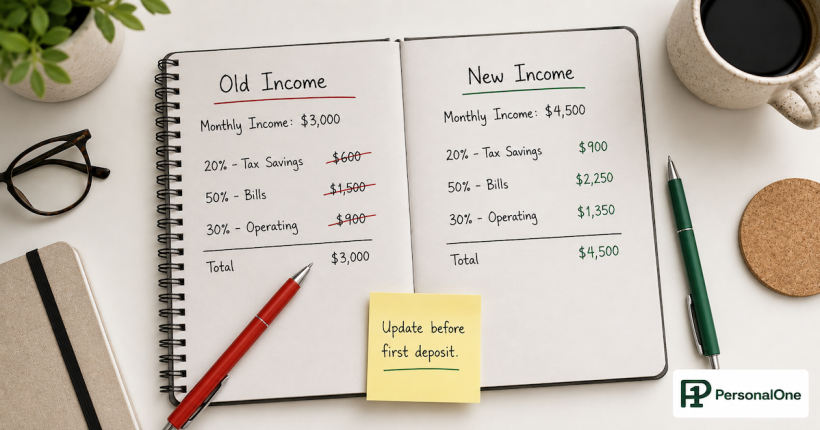
Increase splits when: you get a raise (route the raise directly to savings before lifestyle adjusts to it); you pay off a debt (redirect that exact payment amount to savings rather than absorbing it into spending); bills decrease (reduce the bills split and redirect the difference to savings).
Decrease splits when: bills increase permanently (new car payment, rent increase); you're consistently overdrafting your spending account (split is too aggressive for current expenses); a major life change requires temporary cash reserves.
Review splits every three to six months and after any major income or expense change. Proactive adjustments prevent the system from falling out of alignment with reality.
Direct Deposit Splitting Is the Execution. Income Routing Is the Strategy.
Knowing how to split your paycheck is half the work. The other half is understanding where your paycheck should go first and in what order — savings before spending, fixed costs before variable, emergency buffer before investment. The complete income routing framework covers how to design that decision once so it runs automatically every payday.
Read the Complete Income Routing Guide →Frequently Asked Questions
Can I split my direct deposit to accounts at different banks?
Yes, in most cases. Your employer needs valid routing and account numbers — they don't have a preference on which banks you use. Many people split to a local bank for spending and an online bank for higher-yield savings. Verify all routing numbers with $1 test transfers before submitting to payroll.
What happens if I change jobs? Do I have to set up splitting again?
Yes. Direct deposit information is employer-specific and not portable between jobs. When you start a new position, you'll complete a new direct deposit form. This is a useful opportunity to review your split amounts and adjust for any income change rather than simply replicating the previous setup.
Can I split by percentage instead of dollar amount?
It depends on your employer's payroll system. Some support percentages, some fixed amounts, some both. Percentages work well for variable income (commissions, overtime). Fixed amounts work better for consistent paychecks with predictable bills. Ask HR which options your system supports.
How long does it take for split changes to take effect?
Typically one to two pay cycles. Some employers process changes immediately, others need advance notice. Don't assume a split submitted on February 1 will appear in a February 15 paycheck — ask HR about processing timelines when you submit changes.
What if my paycheck amount varies each pay period?
Use percentage splits or set fixed amounts only for bills and designate everything else as remainder. Example: $800 fixed to bills, remainder split 20% to savings and 80% to spending. This ensures bills are always covered while savings and spending adjust proportionally with income variation.
Can I stop or change my split at any time?
Yes. Submit a new direct deposit form to your employer with updated information. You can consolidate to a single account, adjust amounts, or change destination accounts. The process is identical to initial setup — allow one to two pay cycles for changes to take effect.
Will splitting my paycheck affect my taxes?
No. Direct deposit splitting happens after taxes are calculated and withheld. Your employer calculates taxes on gross pay, then distributes the net amount across your designated accounts. Splitting has zero tax implications — it only determines where your after-tax income lands.
What if my paycheck doesn't arrive after setting up a split?
This typically means an error in an account or routing number. Contact HR or payroll immediately — they can see if the deposit was rejected. Your employer is required to pay you, so they'll issue a physical check or expedite a corrected direct deposit. This is exactly why pre-testing with $1 transfers matters before submitting payroll paperwork.
Resources
- Where Your Paycheck Should Go First: Income Routing Strategy — PersonalOne Hub
- Banking Systems: Account Structure for Control, Growth, and Automation — PersonalOne
- The Multi-Account Budgeting System — PersonalOne
- CFPB — What Is a Routing Number?
- FDIC — Consumer Protection and Deposit Insurance
Disclaimer: This guide provides general educational information about direct deposit splitting and paycheck distribution. It does not constitute personalized financial advice. Your optimal split strategy depends on your income consistency, expense structure, savings goals, and employer's payroll capabilities. Consult with your HR department about specific implementation and with a qualified financial professional about your complete financial strategy.