May 23, 2026
Home › Banking Systems › Online Banks vs Traditional Banks › How to Switch From a Traditional Bank to an Online Bank
This article is part of the Online Banks vs Traditional Banks cluster — a guide to understanding which banking system fits how you actually use money, and how to make the switch when you're ready.
How to Switch From a Traditional Bank to an Online Bank
What You Need to Know
— Switching to an online bank takes 3–7 business days when done in the right order — and most people wait years longer than they should.
— The #1 mistake is closing your old account first. Keep it open until every recurring payment and direct deposit has moved.
— Online banks typically charge no monthly maintenance fees and offer savings rates 5–10x higher than traditional banks.
— Your money is equally protected — online banks carry the same FDIC insurance (up to $250,000) as brick-and-mortar institutions.
— This guide gives you the exact sequence: open, map, move, verify, then close.
If you have ever looked at your bank statement and seen a $12 or $15 monthly maintenance fee sitting there, you already know the feeling. You are not getting a branch visit out of it. You are not earning meaningful interest on your savings. You are just paying to keep your money somewhere that is not working very hard for you. The decision to switch from a traditional bank to an online bank is one most people make emotionally before they ever follow through logistically — and the gap between deciding and doing is almost always fear. Fear that a bill will bounce. Fear that your paycheck will go missing. Fear that something will break during the transition.
None of those things have to happen. The process of how to switch from a traditional bank to an online bank is genuinely straightforward when you follow the right sequence. Most people can complete the full transition in under a week of real calendar time, with less than an hour of actual effort. The problem is that most guides online treat this like a checklist of tasks. What you need is the logic behind the sequence — so you understand why the steps happen in the order they do, and you do not short-circuit the process by closing your old account too early or moving your direct deposit before the new account is confirmed.
This article walks you through the complete switch from start to finish: how to pick the right online bank, how to map everything currently tied to your old account, how to move your payments without anything breaking, and when it is actually safe to close the old account and walk away. Whether you have been at the same bank for five years or twenty, the steps are the same — and you are closer to being done than you think.
Why Most People Stay at Their Traditional Bank Years Longer Than They Should
There is a number worth knowing: the average American has held their primary checking account for nineteen years. Their savings account for about seventeen. These are not people who have thought carefully about their banking relationship and decided it is optimal. These are people who opened an account early in life — often at whatever bank their parents used or whatever branch was nearest — and simply never had a strong enough reason to leave.
Traditional banks count on this. Monthly maintenance fees are structured to feel small enough not to trigger action. A $12 fee does not feel worth the hassle of switching. Multiply it by twelve months and you have paid $144 for the privilege of keeping your money in an account that earns almost nothing. The national average savings rate at traditional banks sits around 0.57 percent APY. Meanwhile, many online banks are currently paying between 4 and 5 percent APY on high-yield savings accounts — a difference that on a $10,000 balance means you are leaving nearly $450 in interest per year on the table, on top of whatever fees you are paying.
The behavioral reason people stay is inertia reinforced by imagined complexity. Switching banks sounds like a project. It conjures images of missed payments, confused payroll departments, and bounced autopay charges. Those outcomes are real — but they are only the result of switching in the wrong order. When you follow the correct sequence, none of those things happen. The transition is invisible to everyone who sends you money or pulls from your account. That is the goal: a clean handoff where the new system is fully functional before the old one is retired. Understanding that this is achievable is the first step to actually doing it.
Step One: Choose the Right Online Bank Before You Open Anything
The first thing you need to do is not open a new account. It is decide where you are going. Picking the wrong online bank — one that turns out to have limited ATM access, a clunky mobile app, or hidden transfer delays — will make the whole process feel worse than it needs to. You want to make this decision once and make it well.
The criteria that actually matter when evaluating an online bank come down to four things. First, no monthly maintenance fees. This is non-negotiable for most people making this switch — if you are leaving your traditional bank because of fees, do not walk into a new fee structure. Second, a competitive APY on savings. Online banks operate without the overhead of physical branches, which is why they can offer rates that are dramatically higher than traditional banks. Third, a robust ATM network or ATM fee reimbursement policy. Online banks do not have branches, which means your cash access depends entirely on their network agreements. Fourth, direct deposit compatibility and transfer speed. You want to be able to move money in and out quickly, and you want your paycheck to arrive without friction.
Beyond those four factors, look at the app reviews and customer service options. When something goes wrong with an online bank — a locked account, a failed transfer — you need to be able to reach a human being through chat, phone, or email. Not every online bank has strong support infrastructure, and that gap becomes painful at the worst possible moments. If you are not sure which type of bank fits your financial situation best, PersonalOne's Best Bank for You Quiz can help you match to the right option based on how you actually use your account. It takes about two minutes and factors in your fee tolerance, ATM needs, and savings goals.
One thing worth noting: knowing what to look for and knowing which specific banks currently offer it are two different questions. For a current comparison of which institutions have no monthly fees and the highest savings rates right now, the banks with no monthly fees guide keeps those rankings updated.
Step Two: Open the New Account While Keeping the Old One Active
Once you have selected your online bank, open the new account immediately — but do not close or reduce your old account yet. This is the most important sequencing rule in this entire process. Your old account needs to stay open and funded throughout the transition. Think of it the way you would approach moving apartments: you do not hand back your keys on the last day of the month at midnight. You overlap. You have access to both spaces while you move things over, and only return the keys when you are certain everything essential is in the new place.
Opening an online bank account is typically a ten to fifteen minute process. You will need a valid government-issued ID, your Social Security number, and a small opening deposit — some banks accept as little as a dollar, others require $25 to $100. You can usually fund the opening deposit from your existing bank account via an ACH transfer or a debit card. Most online banks will give you provisional account access within minutes and a confirmed account number within one to two business days.
Once the account is open, do two things immediately. First, write down or screenshot your new account number and routing number — you will be using these repeatedly over the next few days. Second, make a small test transfer from your old account to the new one. Transfer something like $10 or $25. Wait for it to land. Confirm it arrived. This one step verifies that the ACH connection between your banks is working before you depend on it for anything important. It sounds minor but it catches setup errors early, when they are easy to fix.
Step Three: Map Everything Tied to Your Old Account Before Moving Anything
Before you redirect a single payment or update a single login, you need a complete picture of everything currently flowing through your old bank account. This mapping step is where most people skip ahead and create problems for themselves. They update their direct deposit and assume that is it — then three weeks later discover a subscription or a utility auto-payment they forgot about still pulling from the old account, which now has no balance.
Pull up the last three to six months of statements from your old bank. Go line by line and build two lists. The first list is everything that deposits into your account: your paycheck or direct deposit, any government benefits, any side income, any automatic transfers from investment accounts or other banks. The second list is everything that pulls from your account: recurring subscriptions, utility autopay, insurance premiums, loan payments, gym memberships, streaming services, and any annual charges that might not appear every month. This second list is where people miss things. Annual subscriptions — software, insurance, memberships — only show up once a year on your statement. Going back six months instead of one reduces the chance you miss one.
Once your two lists are complete, you have a complete inventory of what needs to move. Do not start moving anything yet. Just build the list first. For many people, this step also becomes a useful audit — recurring charges for services they no longer use often surface here. If you find something you are paying for that you do not actually want, cancel it now before it migrates to the new account. Understanding how to avoid bank fees — both at old and new institutions — is something worth reviewing at this stage, because some fee categories (like out-of-network ATM fees or low-balance fees) apply at online banks too if you are not careful about which one you choose.
Step Four: Move Your Direct Deposit First, Then Update Payments One by One
The correct order for moving your financial connections is: direct deposit first, recurring payments second, and old account closure last. This order matters because it ensures that income lands in the new account before you depend on it to pay anything from there.
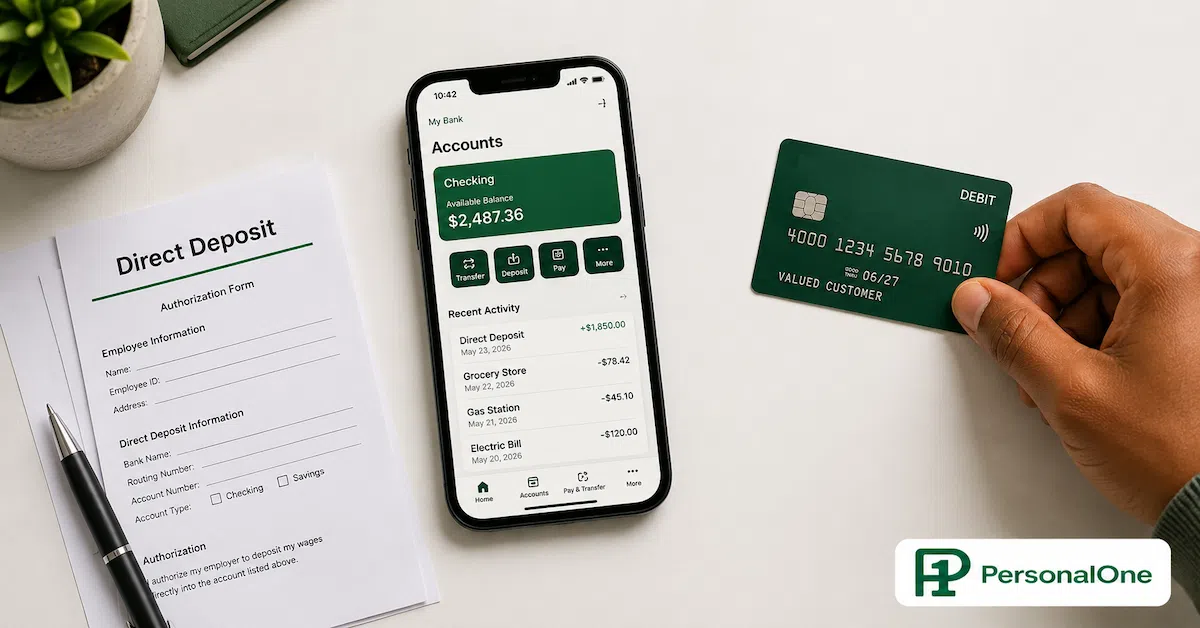
To update your direct deposit, contact your employer's payroll or HR department — or log into your payroll portal if one exists — and provide your new account number and routing number. Most employers process this within one or two pay cycles, which means your next or next-next paycheck may still go to the old account. During this window, keep your old account funded with enough to cover anything still pulling from it. Do not drain the old account the moment you update payroll.
Once you know your direct deposit has successfully landed in the new account at least once, begin moving recurring payments. Work through your list methodically, updating one or two per day rather than trying to change everything at once. For bill payments, log into each service provider's website and update the bank account on file. For autopay connected to your old debit card number, update the card information to your new bank's debit card once it arrives in the mail (most online banks ship a debit card within five to seven business days). Give each update a few days to confirm before moving to the next.
This is also the moment to think about how your accounts work together as a system. People who are switching to an online bank for the first time often discover that the move is most powerful when it is part of a broader look at online banks vs traditional banks — understanding not just how to move, but which features of each system actually match the way you use money day to day.
See What You're Leaving Behind
Use the PersonalOne Banking ROI Calculator to find out exactly how much your current bank is costing you in fees and lost interest versus what an online bank would return.
Calculate My Banking ROI →Step Five: Run a Full Verification Cycle Before You Do Anything to the Old Account
After you have updated your direct deposit and moved your recurring payments, the instinct is to close the old account immediately. Resist that. The verification phase — letting one full payment cycle run through the new account before closing the old one — is what separates a clean transition from a chaotic one.
A full cycle means waiting until at least one paycheck has landed in the new account and at least one round of recurring bill payments has processed from it. For most people, this is a two to four week window after the final payment update. During this period, leave a buffer in the old account — somewhere between $100 and $500, depending on your typical lowest balance — so that anything that slips through on the old account does not overdraft. Check both accounts every few days. When you spot a payment that still pulled from the old account, go update it immediately and note that it has been corrected.
By the end of this cycle, one of two things will have happened. Either everything has moved cleanly, or you will have caught one or two stragglers and corrected them. Either outcome is fine, because you still have the old account open as a backstop. The goal is to reach a point where nothing essential is touching the old account anymore. When you go two to three weeks with no transactions on the old account that were not intentional, you are ready to close it.
For people who have complex bill structures or variable income, the switch banks without missing payments guide goes deeper into managing the handoff when your cash flow is irregular. The sequencing principles are the same, but the buffer amounts and timing windows need to be adjusted for income variability.
Not Sure Which Bank Type Is Right for You?
Switching is the action. The decision behind it is which banking system actually fits how you use money. The Online Banks vs Traditional Banks cluster breaks down exactly that — feature by feature, use case by use case.
Online Banks vs Traditional Banks →Step Six: Close the Old Account Properly — It Is Not Just About Stopping Deposits
Closing a bank account is a process, not a single action. A lot of people think that draining the balance and stopping deposits is sufficient. It is not. A formally unclosed account can continue to incur fees, generate negative balances from delayed transactions, or stay open in a "dormant" status that some banks charge separately. You want a documented, confirmed closure.
To close your account properly, contact your old bank directly — either in person, by phone, or through their online secure message system — and explicitly request account closure. Some banks require a written request. Ask them to confirm the closure in writing, either by email or by mail. Before or during this conversation, transfer any remaining balance to your new account. Do not leave money in the old account when you request closure, as the bank may hold it pending a processing window.
If your old bank has an outgoing transfer fee or account closure fee, note it. Some traditional banks charge $5 to $25 to close an account within a certain number of days of opening — usually 90 to 180 days — as a deterrent against people opening accounts for sign-up bonuses. If you have had your old account for years, this rarely applies, but it is worth asking about before initiating the close. Once you receive confirmation that the account is closed, keep that documentation for at least six months in case any stray transaction or fee dispute arises.
What to Do With Your New Online Bank Account Once the Switch Is Complete
The switch itself is a logistical task. What you do after the switch determines whether the move actually improves your financial life. The most common mistake people make after switching to an online bank is treating it exactly like the old bank — a place where money lands and gets spent. The move is most valuable when it prompts a reset of how you structure and track your money.
If your new bank offers a high-yield savings component, set up an automatic transfer to it on the same day your paycheck lands. Even something like $25 or $50 per paycheck establishes the habit and puts your emergency fund in motion. The compounding effect of a 4 to 5 percent savings rate is only meaningful if the money is actually there — and automatic transfers are the mechanism that makes savings happen without relying on willpower each month.
For tracking where your money actually goes once it is in the new system, a tool like Monarch Money connects to your accounts and gives you a real-time view of spending, savings progress, and cash flow across all your financial accounts in one place. It is particularly useful after a bank switch because it helps you confirm that the new system is behaving the way you intended — that bills are being paid on schedule, that savings are accumulating, and that nothing unexpected is pulling from your balance. The visibility it provides in the first 30 to 60 days after a switch is genuinely useful for catching any missed payment updates.
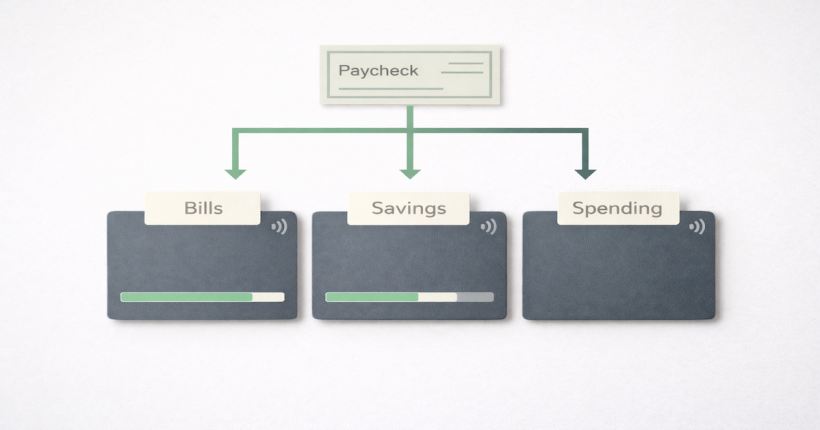
The broader structure that makes your banking work — how accounts are separated, where your paycheck lands first, how savings get routed before you can spend them — is what the banking systems account structure guide covers in depth. The switch to an online bank is step one. Building a system around that bank is step two, and it is where the real financial leverage lives.
The Two Things People Worry About That Are Not Actually Problems
Most of the hesitation people feel about switching to an online bank comes down to two concerns: cash access and account safety. Both are legitimate things to research. Neither is a reason to stay at a traditional bank paying you almost nothing.
On cash access: online banks address the ATM gap through network partnerships. Most major online banks participate in networks like Allpoint or MoneyPass, which together include tens of thousands of ATMs nationally — often inside CVS, Walgreens, Target, and other locations you already visit. Some online banks also reimburse out-of-network ATM fees up to a certain monthly limit. If you regularly need to deposit physical cash, this is the one area where online banking has a genuine gap — most online banks do not accept cash deposits. If that is a meaningful part of your banking life, a hybrid approach (keeping a no-fee checking account at a local credit union alongside your online bank) is worth considering.
On safety: FDIC insurance applies equally to online banks as it does to traditional ones. Any FDIC-member institution — online or physical — insures your deposits up to $250,000 per depositor, per account category. You can verify whether an online bank is FDIC-insured at fdic.gov before opening an account. This is a thirty-second check that removes any question about whether your money is protected. The FDIC has existed since 1933 and has never failed to protect an insured depositor — the bank's physical presence has nothing to do with that protection.
Beyond FDIC coverage, reputable online banks use the same security infrastructure as traditional banks: 256-bit encryption, multi-factor authentication, and fraud monitoring. Enabling MFA on your new account immediately upon opening it is a best practice worth doing before you transfer any meaningful balance.
More From This Cluster
Return to Online Banks vs Traditional Banks for the full comparison — which institution belongs in which role, the hybrid setup most people need, and every article in this cluster.
Frequently Asked Questions
How long does it actually take to switch from a traditional bank to an online bank?
The account opening itself takes about fifteen minutes. The full transition — updating direct deposit, moving all recurring payments, running a verification cycle, and closing the old account — typically takes two to four weeks of real calendar time. Most of that time is simply waiting: waiting for payroll to process your updated direct deposit, waiting for a billing cycle to confirm that each payment moved correctly. The amount of active effort involved is usually under two hours total, spread across that window.
Is it safe to keep my money in an online bank?
Yes, with the same caveat that applies to any bank: confirm it is FDIC-insured before depositing money. FDIC insurance protects up to $250,000 per depositor, per account category, at any FDIC-member institution — regardless of whether that institution has physical branches. You can verify FDIC membership at fdic.gov. Most major online banks are FDIC members and advertise it prominently. Security features like multi-factor authentication and encryption are standard across reputable online banks and in many cases are more consistently implemented than at older traditional institutions.
What happens to my autopay if I switch banks?
Autopay is tied to your old account's routing and account numbers. If you close that account before updating each autopay, those payments will fail — potentially triggering late fees or service interruptions. The correct approach is to map every recurring payment before you begin the transition, update each one individually to your new account information, and run at least one full billing cycle to confirm everything processed correctly before closing the old account. This is the most important sequencing rule in the entire process.
Can I deposit cash at an online bank?
Most online banks do not accept direct cash deposits, which is the one functional gap compared to traditional banks. If you regularly receive cash income or need to deposit cash, the practical workaround is to deposit cash at a traditional bank or credit union that you maintain separately, then transfer electronically to your online bank. Some online banks partner with retail locations like Walgreens to accept cash deposits through their networks, but this varies by institution and sometimes involves a small fee. For most people who primarily work with digital income and bill payments, this limitation is not a factor.
Should I close my old bank account immediately after switching?
No. Keep the old account open and funded until you have confirmed that your direct deposit is landing in the new account and every recurring payment has processed from it at least once. This verification window is typically two to four weeks. Closing the old account early — before payments have fully migrated — is the most common reason the transition creates problems. Once you have had two to three weeks with no unintended transactions on the old account, contact the bank to formally close it and get written confirmation of the closure.
Do online banks offer the same account types as traditional banks?
Most do. The vast majority of online banks offer checking accounts, savings accounts (often high-yield), money market accounts, and CDs. Some also offer credit cards, personal loans, and investment accounts — the product menu has grown significantly in recent years. The main things most online banks do not offer are physical safe deposit boxes, in-person cash services, and notary services. If any of those are part of your regular banking life, a hybrid approach — maintaining a local credit union account alongside your online bank — is a practical solution that lets you capture the benefits of both.
This content is for educational purposes only and does not constitute financial advice. PersonalOne is not a licensed financial advisor, broker, or investment professional. Some links on this page may be affiliate links — we may earn a commission if you open an account through them, at no additional cost to you. Bank terms, fees, and APYs are subject to change — always verify current rates and terms directly with financial institutions before opening accounts. FDIC insurance limits are subject to change — verify current coverage at FDIC.gov.