July, 2026
Home › FinTech & Modern Money Tools › Wealth Management Technology & Robo-Advisors › How to Set Up Automated Investing
What You Need to Know
— Setting up automated investing through a robo-advisor takes 10–15 minutes from account creation to first funded contribution
— You need: a government-issued ID, Social Security number, bank account routing and account numbers, and a decision on account type (Roth IRA vs taxable)
— The most important step after account setup is enabling automatic monthly contributions — this is what separates consistent investors from occasional ones
— You do not need to understand what the robo-advisor buys — the risk questionnaire answers and platform algorithm handle portfolio construction
— Once set up correctly, automated investing requires approximately zero ongoing time per month
Setting up automated investing through a robo-advisor or automated wealth management tool is one of the highest-leverage financial actions available to Millennials and Gen Z investors — not because the returns are better than manual investing, but because automation eliminates the two behaviors that cause most investors to underperform: inconsistent contributions and emotional selling during downturns. An investor who automatically contributes $300/month every month for 30 years at average market returns builds substantially more wealth than an investor who manually transfers money when they remember, skips months when spending feels tight, and checks the balance nervously during market corrections. The system is the advantage. The complete guide to robo-advisors and wealth management technology is in the Wealth Management Technology & Robo-Advisors guide.
Setting up one of the best automated wealth management tools available to everyday investors takes less time than most people expect. This guide walks through the exact setup process: choosing a platform, selecting an account type, completing the questionnaire, funding the account, configuring automatic contributions, and connecting the investment to your broader financial system. The full framework for how automated investing connects to banking, budgeting, and the complete FinTech tool stack is in the FinTech & Modern Money Tools guide.
Before You Start: Two Decisions to Make First
Decision 1: Which platform? For most beginners, the choice is between Betterment (zero minimum, 0.25%/year, broadest features) and Fidelity Go (zero minimum, zero fee under $25,000, existing Fidelity customers). Both are strong. Betterment is slightly more feature-complete; Fidelity Go is cheaper at small balances. Pick one and start — the difference in outcomes between these two platforms over 30 years is far smaller than the difference between starting today and starting six months from now.
Decision 2: Which account type? For most Millennials and Gen Z investors: Roth IRA first. Tax-free growth on decades of gains is the most powerful tool available to young investors with time horizons of 20+ years. If your income exceeds the Roth IRA eligibility limit (check current IRS thresholds for your filing status), open a Traditional IRA for the tax deduction, or go directly to a taxable brokerage account. If you have not yet captured your full employer 401(k) match, do that first — the match is a guaranteed 50–100% return that no investment can replicate.
Step-by-Step Setup: Betterment as the Example
The steps below use Betterment as the example platform — the process is nearly identical at Fidelity Go, Wealthfront, and Schwab Intelligent Portfolios. Time required: 10–15 minutes.
Step 1 — Create Your Account (2 minutes)
Go to betterment.com and click “Get Started.” Enter your email address and create a password. Betterment will send a verification email — confirm it before proceeding.
Step 2 — Complete Identity Verification (3 minutes)
Enter your full legal name, address, date of birth, and Social Security number. This is required by law under Know Your Customer (KYC) regulations. Betterment uses this information to verify your identity — it is not stored alongside your financial data in a way accessible to the investment platform itself.
Step 3 — Select Account Type (1 minute)
Select Roth IRA for most beginning investors (see the account type decision above). If you are opening a taxable account, select Individual Brokerage. You can open multiple account types later.
Step 4 — Complete the Risk Questionnaire (3 minutes)
Answer 6–10 questions about your investment goals, time horizon, and risk tolerance. Be honest about how you would react to portfolio declines — the questionnaire is calibrated to build a portfolio you will actually stay in during downturns, not the most aggressive portfolio you theoretically could tolerate. Betterment will recommend a stock/bond allocation and show you the projected range of outcomes.
Step 5 — Link Your Bank Account (2 minutes)
Connect your bank account through Plaid or by manually entering routing and account numbers. Plaid connects in seconds if your bank is supported (over 12,000 institutions). Manual entry takes 1–3 business days to verify through micro-deposits. Use the checking account you have designated as your investing source — ideally the account that receives your paycheck or a portion of your direct deposit.
Step 6 — Set Initial Deposit and Automatic Contributions (2 minutes)
Enter an initial deposit amount (any amount — Betterment has no minimum). Then immediately configure automatic monthly contributions: the date, amount, and frequency. This is the most important step. Set automatic contributions before closing the app. A $100/month automatic contribution started today beats a $500 contribution you plan to make manually when you remember.
Step 7 — Enable Tax-Loss Harvesting (1 minute, taxable accounts only)
In taxable brokerage accounts, navigate to Settings and enable Tax Loss Harvesting. It is not enabled by default — you must turn it on. In a Roth IRA or Traditional IRA, this step does not apply (tax-loss harvesting only benefits taxable accounts).
Connecting Automated Investing to Your Complete Financial System
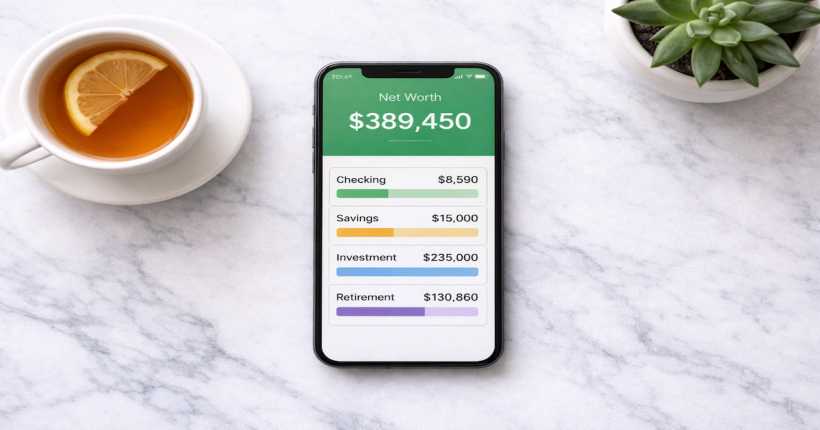
Automated investing works best as one layer of a complete financial system — not as a standalone action. The optimal integration: your paycheck arrives in your primary checking account, a defined amount transfers automatically to your robo-advisor account on a set date each month, and you track your investment growth alongside your full net worth in a budgeting tool that aggregates all accounts. This creates a system where every dollar has a defined role: spending in checking, safety in high-yield savings, growth in the robo-advisor.
The practical setup: align your robo-advisor automatic contribution date to 2–3 days after your regular payday. This ensures funds are available before the transfer executes without requiring any manual action. If you use Monarch Money or a similar budgeting tool, connect your robo-advisor account to the aggregator so your investment balance appears in your net worth view automatically.
Automated investing is step four of a complete financial system.
Account structure, budget automation, and credit tracking come first. The full sequence is in the Wealth Management Technology guide.
Explore Wealth Management Technology →Resources
Official Sources
SEC Investor.gov — Robo-Advisors — SEC guidance on how robo-advisors work, what fees to evaluate, and how to verify a platform is properly registered before investing.
IRS — Roth IRAs — Current Roth IRA contribution limits, income eligibility thresholds, and withdrawal rules from the official IRS source.
The full framework lives in the FinTech & Modern Money Tools guide.
Frequently Asked Questions
What information do I need to open a robo-advisor account?
Full legal name, current address, date of birth, Social Security number, and bank account routing and account numbers. For IRA accounts, you will also indicate the tax year the contribution applies to. All of this is standard KYC information required by securities regulators for any investment account.
How long does it take for my first contribution to be invested?
Typically 3–5 business days from when the bank transfer initiates to when the funds are fully invested. The transfer from your bank to the robo-advisor takes 1–3 business days. Once received, the platform invests the funds according to your target allocation, usually within one business day.
What happens if I need the money back?
For taxable brokerage accounts: you can sell investments and transfer the proceeds to your bank at any time, typically within 3–5 business days. For Roth IRA accounts: you can withdraw your contributions (not earnings) at any time without penalty. Withdrawing earnings before age 59½ and before meeting the 5-year rule may trigger taxes and a 10% early withdrawal penalty. Build your emergency fund in a savings account before investing in an IRA — IRA funds should be considered long-term.
Disclaimer: This article is for informational and educational purposes only. Robo-advisor setup processes, IRA contribution limits, and tax rules change — verify current details directly with each platform and the IRS. This content does not constitute investment, tax, or financial advice.