Updated: April 25, 2026
Home › Financial Automation › Budget Automation Systems › Is Your Budgeting App Helping or Hurting Your Budget?
TL;DR
— A budgeting app should reduce stress and increase financial clarity — if it does the opposite, the problem is the system not the person.
— The right app depends on how you naturally operate: all-in-one dashboard, zero-based planning, envelope-style spending limits, guardrails-only, or minimal consistency-first.
— The single most useful test for any budgeting app is whether it tells you what to do next — not just what already happened.
— An app is only as effective as the system behind it — a weekly check-in and monthly reset are what convert app data into actual financial progress.
— Most budgeting app frustration is a fit problem, not a discipline problem — switching to the right style often produces more progress than working harder inside the wrong one.
Whether your budgeting app is helping or hurting your budget is a question most people never ask directly. They assume that if they are using an app, they are budgeting — and if they are still struggling financially, they must be doing something wrong. The more accurate diagnosis is usually simpler: the app does not match how they actually operate, so it adds friction rather than reducing it, and the habit collapses under its own weight.
A budgeting app that is hurting you does not announce itself. It just quietly makes you feel behind every time you open it, until you stop opening it. An app that is helping you does the opposite — it makes the next financial decision obvious in under 30 seconds and runs in the background the rest of the time. The difference is almost never about discipline. It is almost always about fit between the tool and the person using it.
This guide covers the diagnostic signs that reveal whether your current app is working, the five budgeting styles that actually produce results in different situations, and the system behind the app that determines whether any tool produces consistent financial outcomes. The budget automation systems framework covers how the right app connects to a complete automated financial structure.
How to Tell If Your Budgeting App Is Helping or Hurting
The diagnostic is straightforward. An app that is working for you will consistently do at least three of these five things:
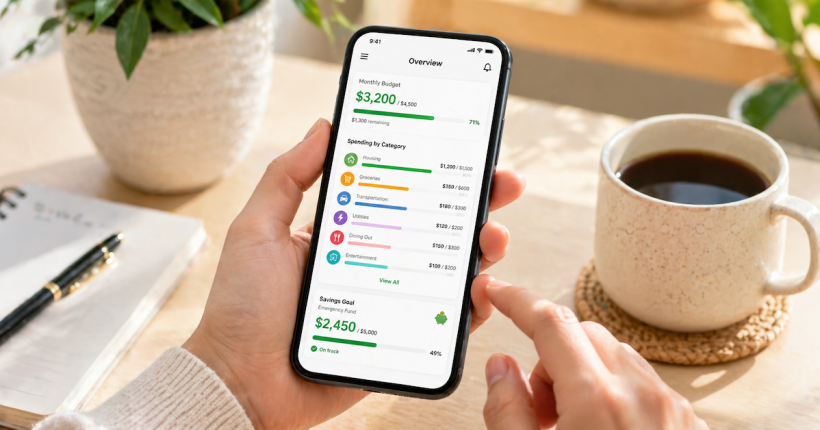
It gives you clarity in under 30 seconds. Opening the app and immediately knowing where you stand financially — not after navigating four screens and interpreting three charts, but in the time it takes to read a text message. If you need to do mental reconstruction every time you open the app, it is not giving you clarity. It is giving you data that requires work to become clarity.
It reduces decision fatigue rather than creating it. The goal of a budgeting app is to reduce the number of financial micro-decisions required daily — not to generate a new set of categorization tasks. If you spend more time managing the app than thinking about your money, the overhead has exceeded the value.
It fits how you actually spend, not how you wish you spent. An app built around precise category tracking only works for people who naturally track precisely. An app built around big-picture guardrails works for people who need boundaries but not micromanagement. The app has to match the person, not the ideal version of the person.
It makes the next step obvious. "You have $140 left in dining out this month" produces a decision. "You are 23% over your food category" produces confusion. The difference between an app that helps and one that frustrates is often just whether it translates data into a clear next action or leaves interpretation to the user.
It helps you see ahead, not just behind. An app that only reports what already happened is a rearview mirror. A useful budgeting app shows upcoming bills, progress toward goals, and whether the current spending pace is sustainable through the end of the month. If the only view available is historical, the app cannot prevent problems — it can only document them.
Signs the app is hurting rather than helping
— You avoid opening it because it makes you feel worse, not smarter
— You are drowning in categories and still not learning anything actionable
— It reports the problem but gives no guidance on fixing it
— It creates guilt for normal spending that fits within your actual budget
— It does not account for variable income or irregular expenses in any meaningful way
— You have not opened it in more than two weeks
The PersonalOne rule on this is simple: if the app adds friction, the habit dies. A budgeting system that works on your best week but collapses on your busiest week is not a working system. It is a fair-weather tool.
The Five Budgeting App Styles That Actually Work
The most common budgeting app mistake is choosing a specific app rather than choosing a style. The best app is the one whose underlying approach matches how you naturally operate with money. Here are the five styles that produce consistent results across different personality and income types.
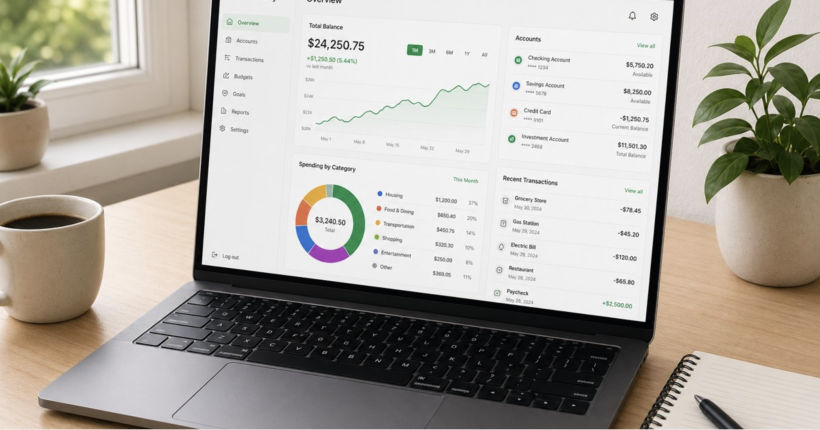
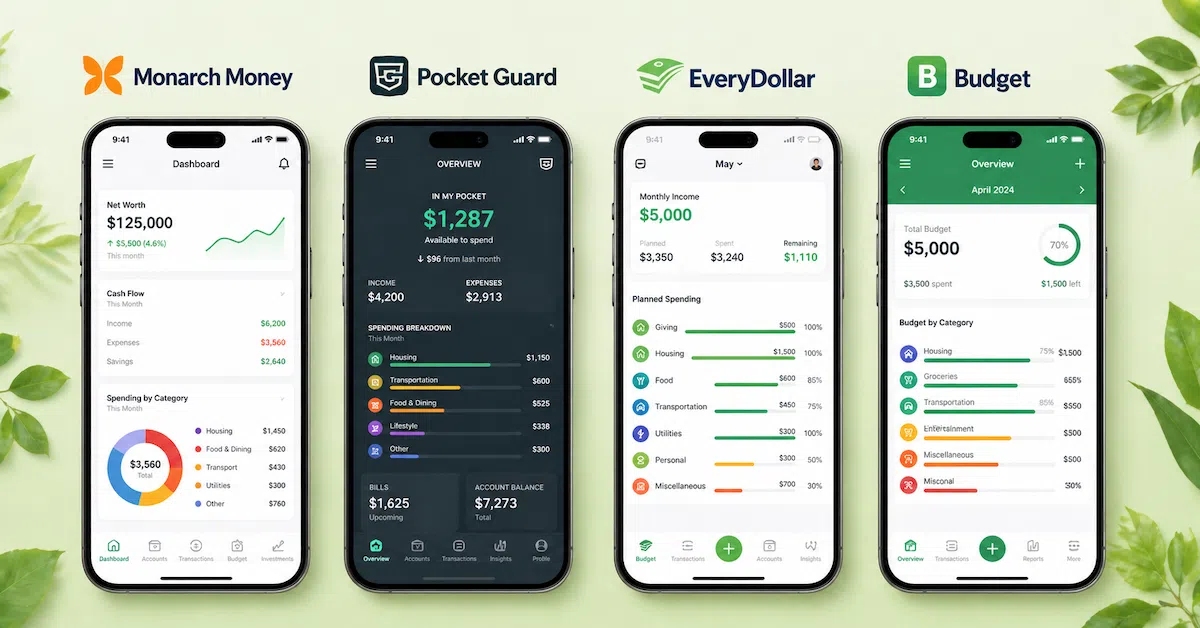
Style 1 — All-in-one dashboard budgeting. This style is for people who want a single place to see everything: all accounts, upcoming bills, spending by category, goal progress, and net worth — updated automatically without manual input. It works best for people building a complete money system rather than just tracking one aspect of spending. The setup investment is higher than simpler approaches but the ongoing maintenance is lower once the account connections and category rules are configured correctly. Monarch Money is the PersonalOne starting point for this style — it is built around the dashboard-first approach that produces the complete financial picture this style requires.
Style 2 — Zero-based planning. Every dollar of income gets assigned to a specific category before the month begins. Income minus all allocations equals zero. This style produces maximum intentionality and works well for people who want precise control over where money goes. The risk is rigidity — a zero-based plan that does not account for real spending patterns becomes a source of constant guilt rather than a useful tool. Build the budget from actual spending data rather than aspirational targets, and the zero-based approach becomes one of the most powerful financial frameworks available. The how to build a budget that actually works guide covers the zero-based construction sequence using real numbers.
Style 3 — Envelope-style spending limits. The digital version of cash envelopes — money is allocated to specific spending categories at the start of the period and spending draws down from each envelope until it reaches zero. This style works well for people who want clear visual spending limits and the psychological clarity of knowing exactly when a category is exhausted. It requires more active management than the dashboard style but produces clearer category awareness for people who want that level of visibility.
Style 4 — Spending guardrails. This style is for people who do not want to budget actively — they want automated alerts, spending caps, and notifications when something requires attention. It works best when income is stable, fixed obligations are predictable, and the primary financial risk is discretionary spending drift rather than structural income-to-expense imbalance. The monthly budget hacks article covers how to set up the alert and cap structure that makes this style function without daily management.
Style 5 — Minimal consistency-first budgeting. Fewer categories, fewer rules, lower precision, higher consistency. This style trades optimization for sustainability — the acknowledgment that a simple budget maintained for 24 months produces more financial progress than a sophisticated budget maintained for six weeks and abandoned. It works best for people who have tried more complex approaches and found the overhead consistently exceeded their capacity to maintain it. Start here, build the habit, and add complexity only after consistency is established.
The Monarch Money Fit Check
For readers considering an all-in-one dashboard approach, Monarch Money is built specifically for the complete financial picture — syncing accounts, categorizing transactions automatically, tracking goals, and showing spending trends in a single dashboard without requiring daily manual input.
Best fit for: People who want one place for budgeting, tracking, and goal progress — and who are ready to invest 60 to 90 minutes in initial setup in exchange for significantly reduced ongoing management time.
Not the right fit for: Anyone who wants a purely free tool, who prefers manual entry over account syncing, or who needs envelope-style visual category limits rather than dashboard-style trend awareness.
The full evaluation of features, pricing, and how it connects to an automated financial system is in the Monarch Money review.
The System Behind the App
A budgeting app is a tool. The system is what determines whether the tool produces results. The most common reason budgeting apps fail to produce financial progress is not that the app is bad — it is that the app has no system behind it. Data accumulates. Categorization happens. Spending is visible. And nothing changes because the visibility was never connected to a decision-making routine.
The system that makes any budgeting app produce consistent results has two components: a weekly check-in and a monthly reset.
The weekly check-in — 10 to 15 minutes: Review the categories where overspending most commonly occurs. Identify whether any category is tracking ahead of its monthly allocation with enough time remaining to correct course. Make one adjustment — move money, defer a purchase, or cancel a subscription — rather than attempting to fix everything at once. The weekly money review system covers the exact five-item sequence that keeps this check-in to 15 minutes without missing anything that matters.
The monthly reset — 20 to 30 minutes: Review what actually happened against what was planned. Identify the two or three categories that consistently ran over or under their allocation — those are the targets for adjustment, not the starting point for guilt. Set one goal for the coming month that is specific enough to measure: a savings balance target, a debt payoff amount, a spending category reduction. The monthly reset converts the previous month's data into a more accurate plan for the next month.
These two routines are what separate people who use budgeting apps and make financial progress from people who use budgeting apps and accumulate data without changing outcomes. The financial automation framework covers how to connect the app and the routine to a complete automated cash flow structure that reduces the management time required for both.
Common Budgeting App Myths Worth Correcting
"This app will fix your money automatically." Apps can automate tracking, fire alerts, and apply category rules. They cannot make financial decisions. The accurate version: automation works when it is paired with a simple routine — weekly check-in and monthly reset. Without the routine, the automation produces data without decisions. Without the decisions, nothing changes.
"If you are stressed by budgeting, you lack discipline." Stress is almost always a system problem, not a character flaw. An app that is too complex, too punitive, or too mismatched to actual spending behavior will produce stress regardless of the user's discipline level. The accurate version: if the app creates more anxiety than clarity, change the app or the style. The goal is a system simple enough to run on the worst week of the month, not just the best one.
"Never link bank accounts to third-party apps. It is always unsafe." This is blanket advice that ignores context. Reputable budgeting apps use read-only account connections through SOC 2 certified aggregation services — they can see transactions and balances but cannot initiate transfers or make changes to accounts. Account linking is optional on most platforms. If it does not feel right for a specific situation, manual entry or bank-native tools are valid alternatives. The goal is consistent tracking by whatever method the person will actually maintain.
The right app is one layer. The complete system is what builds on it.
The Budget Automation Systems framework covers how to connect your budgeting app to automated cash flow, paycheck routing, and savings systems that run without daily management.
Budget Automation Systems → Financial Automation Hub →Resources
Continue Learning About Financial Automation
This article covers budgeting app evaluation and style selection. The complete framework for connecting your app to an automated financial system is in the Financial Automation authority hub.
Frequently Asked Questions
Do I need a budgeting app to budget effectively?
No. An app reduces friction and automates tracking but is not the source of financial progress. The system — the weekly check-in, the monthly reset, the intentional allocation decisions — is what produces progress. If an app helps maintain that system consistently, it is worth using. If it becomes a source of avoidance or anxiety, a simpler approach will produce better outcomes than a more sophisticated tool that goes unused.
How many spending categories should I use?
Start with 8 to 12 broad categories rather than 20 to 40 specific ones. Housing, transportation, groceries, dining out, entertainment and subscriptions, shopping and personal care, healthcare, debt payments, savings, and miscellaneous cover the spending patterns of most households. Add subcategories only where a broad category is producing a specific question you need answered — if dining out is consistently running over budget, splitting it into restaurants, takeout, and coffee reveals which subcategory is driving the overage. If it is not a problem category, the broad label produces sufficient data with less maintenance burden.
What is the best budgeting app for someone who has tried and quit multiple times?
The one with the lowest friction relative to how you actually operate. If previous attempts collapsed under maintenance burden, start with Style 5 — minimal consistency-first budgeting with 6 to 8 categories and no subcategory complexity. Build the habit of opening the app and reviewing category balances weekly before adding any additional features or tracking requirements. Consistency at a simple level produces more financial progress than sophistication at an unsustainable one.
What is the best budgeting app for an all-in-one view?
For a complete dashboard that syncs all accounts, tracks spending automatically, and shows goal progress in one place, the Monarch Money review covers the full feature evaluation, pricing, and how it fits into a complete automated financial system.
How long does it take for a budgeting app to produce noticeable results?
Spending pattern awareness begins within the first week — patterns that were invisible become visible as soon as the data starts accumulating across connected accounts. Behavioral changes that follow from that awareness typically take two to three months to become habitual. The first subscription audit, the first identified billing error, and the first conscious mid-month spending adjustment usually produce measurable financial impact within 30 days of starting consistent use.
Should I switch apps or change how I use my current one?
Run the diagnostic from the first section of this article. If your current app fails three or more of the five criteria — clarity, decision fatigue reduction, behavioral fit, actionable next steps, forward visibility — switching styles is likely more effective than trying to force a better outcome from a mismatched tool. If it passes three or more criteria but you are still not making progress, the issue is the system behind the app, not the app itself. Add the weekly check-in and monthly reset routine before switching tools.
Disclaimer: This article is for educational purposes only and does not constitute financial advice. App features, pricing, and account connectivity vary by provider and are subject to change. Always verify current security practices and terms of service before connecting financial accounts to third-party applications. Some links in this article may be affiliate links — see the Monarch Money review page for full affiliate disclosure. PersonalOne is not responsible for decisions made based on this content.