Updated: August 18, 2026
Home › Financial Automation › Banking Infrastructure Automation
Financial Automation › Cluster Hub
Stop the Chaos: How to Build a Banking Infrastructure That Runs Itself
Automate how money enters, moves, and leaves your accounts — so the right dollar is always in the right place at the right time, every single pay period, without you having to remember to move it there yourself.
What You Need to Know
— Money chaos is usually an infrastructure problem, not a discipline problem. When income lands in one account and bills pull from another with no coordination, something eventually breaks, usually at the worst possible moment.
— A working system has three layers: income routing at the source, bill-pay sequencing timed to your paycheck, and fail-safes that catch the rare moment something doesn't fire correctly as intended.
— Split direct deposit, dividing your paycheck at payroll rather than transferring money after the fact, is the single most underused tool in this entire system.
— This is the infrastructure layer underneath every other automation. Budget, savings, debt payoff, and investment automation all depend on this foundation being solid first.
— A buffer balance and a monthly ten-minute automation audit are what keep a "set and forget" system from quietly drifting out of sync with your real financial life.
Most money chaos isn't a discipline problem. It's an infrastructure problem. When income lands in one account, bills pull from another, savings never get transferred, and autopay dates are scattered across the month — things break. Not because you're irresponsible, but because the system was never designed to work. This cluster covers how to build banking automation systems that route money correctly and reliably from the moment it arrives — no manual decisions required, and no willpower spent remembering to move money around each month.
This is Cluster Hub 1 under the Financial Automation authority hub. It covers the infrastructure layer — account structure, income routing, transfer timing, and fail-safes — that every other automation system depends on. You cannot automate savings, debt payments, or investing effectively if the underlying banking architecture is chaotic. This cluster solves that first.
This is also why it sits first in the sequence, before budget, savings, debt, or investment automation. Each of those systems assumes money is already landing in the right place at the right time. Building a savings automation on top of an account structure that doesn't reliably fund itself just moves the same underlying problem one layer deeper, rather than actually solving it.
What Banking Infrastructure Automation Covers
This cluster focuses specifically on how money moves through your banking system automatically. It answers the question: how do I set up my accounts and automations so money flows to the right place without me managing it manually each month? Every guide in this cluster assumes you already know roughly what you earn and what you owe — the numbers themselves come from Budget Foundations. What's covered here is purely the mechanical layer: the accounts, the routing rules, and the timing that turns those numbers into a system that runs on its own.
This Cluster Covers
- Income routing automation
- Bill pay sequencing and timing
- Automatic transfers between accounts
- Overdraft prevention systems
- Automation fail-safes and alerts
Covered in Other Clusters
- Budget automation (Cluster 2)
- Savings automation strategy (Cluster 3)
- Debt payoff automation (Cluster 4)
- Investment automation (Cluster 5)
- Account types and features (Banking Systems hub)
The Banking Infrastructure Automation System
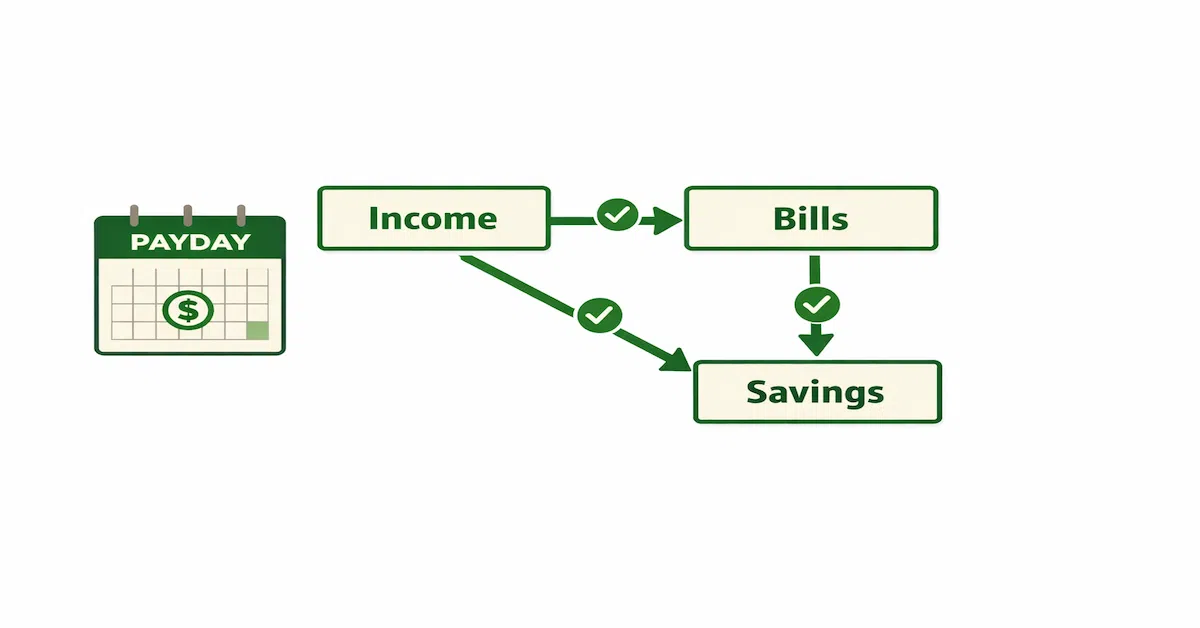
A functional automated banking infrastructure follows a consistent pattern: income arrives, gets split or routed by pre-set rules, fixed obligations are paid automatically in the correct sequence, and surplus flows to savings and investment accounts without requiring a decision. The system runs the same way every pay period regardless of what else is happening in your life, a demanding week at work, a vacation, a stretch of ordinary distraction that would otherwise derail a manual process.
The three layers that make this work:
Layer 1 — Income Routing
Where money goes the moment it arrives determines everything downstream. Split direct deposit — directing specific dollar amounts or percentages to different accounts at payroll — is the most powerful automation tool most people never use. Income lands already allocated: bills account receives its portion, savings account receives its portion, spending account receives the rest. No transfer required, no decision to make. Our income routing guide covers the exact setup, including a common configuration mistake that silently sends $0 to savings.
A Simple Three-Way Split
A $3,000 monthly paycheck routes automatically: $1,800 to the bills account (fixed), $300 to savings (fixed), and $900 to spending (remainder). The money never sits in one account waiting for a manual transfer. Each account has its share the moment payroll processes, before any spending decision has a chance to happen first.
Layer 2 — Bill Pay Sequencing
Autopay timing matters as much as autopay itself. Bills scheduled without regard for when income arrives create overdraft risk. The correct sequence: income lands on payday, autopay dates cluster 2–3 days after payday, savings transfers execute on the same day, spending money is what's left. All due dates should align with your pay schedule — most creditors will accommodate a due date change request, often with a single phone call. Our sequencing guide covers a real buffer formula and the timing gaps that keep automations from colliding.
Layer 3 — Fail-Safes
Automation without guardrails creates new problems. A buffer balance in your bill-pay account (typically one month of fixed expenses) protects against autopay failure when income is delayed. Low-balance alerts notify you before a problem becomes a missed payment. Monthly automation audits — a 10-minute review of what processed, what didn't, and what changed — keep the system accurate as your financial life evolves. Our guides on overdraft-proofing transfers and building a backup plan cover both pieces of this layer in depth.
This layer is the one most people skip entirely, since a well-built system runs quietly for months without any visible sign of trouble. That's exactly the problem: the first time a fail-safe layer actually matters is the one time something has already gone wrong, an expired card, a delayed paycheck, a bank outage, and by then it's too late to build the safeguard that would have caught it earlier.
Explore the Full Financial Automation System
Banking infrastructure is the foundation. The Financial Automation hub covers every layer — budget automation, savings automation, debt payment automation, and investment automation — in one complete system, each one built on top of the account structure covered in this cluster.
More From This Hub
Return to Financial Automation for the complete system — budget, savings, debt, and investment automation.
Go Deeper: Banking Infrastructure Automation Guides
This cluster hub covers the framework. For specific mechanics and step-by-step execution, use these supporting guides:
The 3-Account System That Fixes Money Chaos
The complete framework: which accounts to open, where they live, and how money flows between them.
Bills Account vs Spending Account: The Correct Setup
The exact configuration for each account and how to keep them from bleeding into each other.
Where Your Paycheck Should Land First
The income landing account strategy that makes every automated transfer fire correctly.
How to Build a Buffer Account That Prevents Overdrafts
The cash cushion that keeps automation running when timing does not align perfectly.
Best Bank Features for Automation
What to look for in a bank before you build your automated system on top of it.
How to Set Up Your Bank Accounts So Money Moves Without You
Step-by-step account configuration for a fully hands-off money flow.
The Right Number of Bank Accounts for Full Automation
How many accounts you actually need and when adding more helps versus hurts.
Why Your Checking Account Is Sabotaging Your Automation System
Most automation failures originate in the checking account — specifically in the way it is configured, what it is asked to do, and what protections it lacks.
How to Set Up Income Routing on Payday
The fixed-vs-remainder ordering mistake that silently sends $0 to savings, and how to avoid it.
The Right Order to Automate Bills, Savings, and Spending
A real buffer formula and the timing gaps that keep automations from racing each other.
How to Set Up Automatic Transfers Without Causing Overdrafts
Why your bank's own overdraft protection moves money in bigger chunks than you'd expect.
What to Automate and What to Keep Manual
The behavioral research showing why automating the wrong category can quietly increase spending.
When Automation Fails: How to Build a Backup Plan
The backup plan built in advance — alerts, buffers, and manual fallbacks — before anything breaks.
Other Financial Automation Clusters
Budget Automation
Make your budget run without tracking every dollar manually.
Explore Budget Automation →Savings Automation
Save consistently without relying on willpower or memory.
Explore Savings Automation →Debt & Payment Automation
Automate debt payoff without risking your credit score.
Explore Debt Automation →Investment Automation
Build wealth consistently through automated investing.
Explore Investment Automation →Frequently Asked Questions
Do I need a specific type of bank to build this system?
No. Most traditional banks, credit unions, and online banks support the core pieces, split direct deposit, scheduled transfers, low-balance alerts. Our guide to bank features for automation covers what to specifically check for before building your system on top of a given bank.
How long does it take to set up a fully automated banking system?
Initial setup, income routing, account structure, and scheduling transfers, typically takes one to two hours spread across a payroll change and a few bank settings. The system then needs a full pay cycle or two to reveal whether the amounts and timing are actually right, so budget a month before considering it fully calibrated and ready to leave alone.
What if my income is irregular rather than a predictable paycheck?
The same three-layer structure still applies, but fixed dollar amounts should generally be replaced with percentages so each allocation scales with whatever a given paycheck actually is, rather than risking a shortfall on a leaner one than usual.
Is this different from just using a budgeting app?
Yes. A budgeting app tracks and categorizes money after it's already been spent. This system is about the underlying account structure and automation that determines where money goes before you ever have the chance to spend it. The two can work together, but this layer is the foundation the tracking sits on top of, not a replacement for it.
How much should I keep in my buffer account?
A common starting point is one month of fixed expenses, though our guide to sequencing bills, savings, and spending covers a more precise formula based on your specific largest bill, rather than a flat estimate that may run too high or too low for your actual situation.
What if my employer doesn't support split direct deposit?
A same-day or next-day automated bank transfer accomplishes something close to the same result. It's not quite as clean as splitting at the source, but it captures most of the benefit without requiring payroll involvement.
Do I need to rebuild this system every time my income or bills change?
Not a full rebuild, but a review. A raise, a new bill, or a move to a different pay schedule are all natural triggers to revisit the specific dollar amounts and timing, even though the underlying three-layer structure, income routing, sequencing, and fail-safes, stays exactly the same.
PersonalOne Money System
This content is researched, written, and owned by PersonalOne — a free financial education platform built to help Millennials and Gen Z build real financial systems.
This content is for educational purposes only and does not constitute financial advice. PersonalOne is not a licensed financial advisor, broker, or investment professional. Individual financial situations vary — consult a qualified financial professional for personalized guidance.