TL;DR - Quick Summary
- Autopay fails when timing doesn't match cash flow — bills withdraw before paychecks deposit, causing overdrafts despite having enough money overall.
- Not all bills should be automated equally — fixed bills (rent, insurance) are safe to automate, while variable bills (utilities, credit cards) require monitoring.
- The buffer method prevents overdrafts — keeping one month of bills as a permanent buffer in your bills account eliminates timing stress.
- Automation requires monitoring, not abandonment — check accounts weekly to catch errors, price increases, or unauthorized charges before they become problems.
- Strategic autopay settings matter for credit scores — setting credit cards to minimum payment autopay (safety net) while making manual strategic payments optimizes utilization.
Bill automation promises freedom from late payments, improved credit scores, and mental peace. The reality is messier. Automated bills drain accounts before paychecks arrive. Overdraft fees pile up. Subscriptions you forgot about drain money monthly. Credit card autopay prevents late fees but tanks your credit score through high utilization.
The problem isn't automation itself—it's implementing automation without understanding timing, cash flow, or the different ways bills should be handled. Done correctly, automation removes the mental load of remembering due dates while protecting you from expensive mistakes. Done poorly, it creates new problems worse than manually paying bills.
Building an effective automated bill system requires more than clicking "autopay" on every account. It requires understanding which bills to automate, how to prevent overdrafts, and how to monitor automation without becoming its slave. For context on how proper banking structure supports bill automation, see our guide on the modern banking stack.
Why Bill Automation Fails (and How to Fix It)
Most people automate bills with good intentions, then experience one or more of these failures:
Failure 1: The Timing Mismatch
The problem: Bills withdraw on the 1st, 5th, and 10th. Paycheck deposits on the 15th and 30th. Overdrafts happen despite earning enough money to cover everything.
Why it happens: You automated bills based on due dates, not based on when money actually arrives in your account.
The fix: Align bill due dates with your income schedule. Most companies let you change due dates. Call and request dates that fall 2-3 days after your paycheck deposits.
Real Example: Timing Alignment
Before alignment:
- Rent due: 1st ($1,400)
- Car payment due: 5th ($380)
- Insurance due: 8th ($150)
- Paycheck deposits: 15th and 30th ($2,200 each)
- Result: $1,930 in bills withdraw before first paycheck, causing overdrafts
After alignment:
- Paycheck deposits: 15th ($2,200)
- Rent due: 17th ($1,400)
- Car payment due: 20th ($380)
- Insurance due: 23rd ($150)
- Paycheck deposits: 30th ($2,200)
- Result: Bills withdraw only after money arrives, no overdrafts
Failure 2: The Variable Bill Surprise
The problem: Electric bill autopays for $180 in winter, then jumps to $320 in summer without warning. Account overdrafts.
Why it happens: Variable bills change monthly but autopay treats them like fixed expenses.
The fix: Either budget for worst-case amounts, set up low-balance alerts, or don't fully automate variable bills—use reminders instead.
Failure 3: The Forgotten Subscription
The problem: $9.99 monthly subscription you forgot about drains $120 annually for a service you haven't used in months.
Why it happens: Autopay makes charges invisible. You stop checking statements because "it's automated."
The fix: Monthly subscription audits. Set a calendar reminder to review all automated charges quarterly.
Failure 4: The Credit Score Trap
The problem: Credit card autopay set to "full balance" pays on the due date, after high balances already reported to credit bureaus, tanking your utilization ratio.
Why it happens: Credit cards report balances on statement closing date, not payment due date. Autopay doesn't account for this timing.
The fix: Set autopay to minimum payment (safety net), make manual strategic payments before statement closes to optimize utilization. Learn more about how payment timing affects your credit score.
The 3 Types of Bills (and Which to Automate)
Not all bills are created equal. Automation strategy should differ based on bill type.
Type 1: Fixed Bills (Safe to Fully Automate)
Definition: Same amount, same date, every month.
Examples:
- Rent/mortgage
- Car payment
- Student loan
- Insurance (if not usage-based)
- Fixed subscriptions (Netflix, gym membership)
- HOA fees
Automation strategy: Set to autopay, check quarterly to verify charges are correct.
Why it's safe: Predictability eliminates surprises. You know exactly what will withdraw and when.
Type 2: Variable Bills (Automate with Monitoring)
Definition: Amount changes monthly based on usage or other factors.
Examples:
- Electric bill
- Gas/heating
- Water/sewer
- Phone bill (if not unlimited plan)
- Internet (if data-based pricing)
Automation strategy: Automate payment but set up alerts when bills exceed normal range. Budget for highest typical amount.
Why monitoring matters: A $300 summer electric bill vs $150 winter bill can break tight budgets if unexpected.
Type 3: Strategic Bills (Minimum Autopay + Manual Optimization)
Definition: Bills where payment timing affects other financial outcomes (mainly credit cards).
Examples:
- Credit cards
- Lines of credit
- Charge cards
Automation strategy: Set autopay to minimum payment only (prevents late fees), make manual payments strategically before statement closes to optimize credit utilization.
Why minimum only: Minimum payment autopay is your safety net. It prevents late payments if you forget manual payments. But full balance autopay prevents you from optimizing utilization through strategic payment timing.
Credit Card Autopay Rule: Always set credit cards to minimum payment autopay, never "full balance" or "statement balance." This protects you from late payments while preserving your ability to make strategic payments that optimize your credit score. The minimum payment autopay is insurance, not your primary payment strategy.
The Buffer Method: Preventing Overdrafts Permanently
The single most effective overdraft prevention strategy is maintaining a one-month bill buffer in your bills account.
How the Buffer Works
Traditional approach (fails):
- Paycheck deposits → Bills immediately withdraw → Account balance near zero → Next unexpected bill causes overdraft
Buffer approach (succeeds):
- Maintain permanent buffer equal to one month's bills
- Paycheck deposits → Bills withdraw → Buffer remains intact → Unexpected bills covered
Building Your Buffer
Monthly bills total: $2,400
Buffer target: $2,400 (one month)
How to build it:
- Month 1: Deposit extra $400 → Balance $400
- Month 2: Deposit extra $400 → Balance $800
- Month 3: Deposit extra $400 → Balance $1,200
- Month 4: Deposit extra $400 → Balance $1,600
- Month 5: Deposit extra $400 → Balance $2,000
- Month 6: Deposit extra $400 → Balance $2,400
Result: After 6 months, bills account always has $2,400+ balance. Bills withdraw from current paycheck money, but buffer prevents overdrafts if timing gets off or unexpected bills hit.
This buffer method requires discipline—you must treat the buffer amount as untouchable except in genuine emergencies. But once established, it eliminates overdraft anxiety permanently.
For a complete system on separating money into different accounts including bills, see our guide on how to organize spending, saving, and bills.
Setting Up Bill Automation Step-by-Step
Proper setup prevents most automation problems. Follow this sequence:
Step 1: Audit All Bills and Subscriptions
Before automating anything, know exactly what you're paying for:
- List every recurring bill (use bank/credit card statements from last 3 months)
- Note amount, due date, and whether fixed or variable
- Identify subscriptions you no longer need and cancel them
- Calculate total monthly bills (both fixed and average variable)
Step 2: Align Due Dates with Income Schedule
Call each company and request due date changes:
- If paid biweekly: Split bills evenly between two paychecks
- If paid monthly: Set all bills for 3-5 days after paycheck deposits
- If paid weekly: Spread bills across the month, ensuring each week's bills are covered by that week's paycheck
Most companies accommodate due date requests, especially if you explain it's to ensure on-time payment.
Step 3: Set Up Dedicated Bills Account
If you haven't already, create a checking account exclusively for bills:
- Separate from spending money (prevents accidental spending of bill money)
- No debit card attached (prevents ATM withdrawals)
- Only automated transfers in, only bill payments out
Step 4: Automate Funding Before Automating Bills
Critical order: Automate money going INTO bills account before automating money going OUT.
Set up automatic transfer from main checking to bills account:
- Transfer amount: Total monthly bills ÷ number of paychecks
- Transfer timing: Day after paycheck deposits
- Example: $2,400 bills ÷ 2 paychecks = $1,200 transfer after each paycheck
Step 5: Automate Bills in Priority Order
Don't automate everything at once. Roll out gradually:
Week 1: Fixed, essential bills only
- Rent/mortgage
- Insurance
- Car payment
Week 2: Variable bills
- Utilities
- Phone
- Internet
Week 3: Credit cards and strategic bills
- Set credit cards to minimum payment autopay
- Set up alerts for statement closing dates
- Create reminders for strategic manual payments
Week 4: Subscriptions and discretionary bills
- Streaming services
- Gym memberships
- Other subscriptions
Step 6: Set Up Monitoring Systems
Automation requires monitoring, not abandonment:
- Low balance alerts: Set text alerts when bills account drops below buffer amount + $200
- Transaction alerts: Get notified of any withdrawal over $100
- Failed payment alerts: Immediate notification if any autopay fails
- Calendar reminders: Monthly subscription audit, quarterly bill verification
Automation Setup Checklist
- ☐ Complete bill audit (all recurring charges identified)
- ☐ Cancel unused subscriptions
- ☐ Align bill due dates with income schedule
- ☐ Open dedicated bills checking account
- ☐ Build one-month bill buffer ($____)
- ☐ Automate income transfers to bills account
- ☐ Automate fixed bills (rent, insurance, car)
- ☐ Automate variable bills with monitoring
- ☐ Set credit cards to minimum payment autopay
- ☐ Configure low-balance and transaction alerts
- ☐ Create calendar reminders for monthly/quarterly audits
The Bill Calendar: Your Automation Dashboard
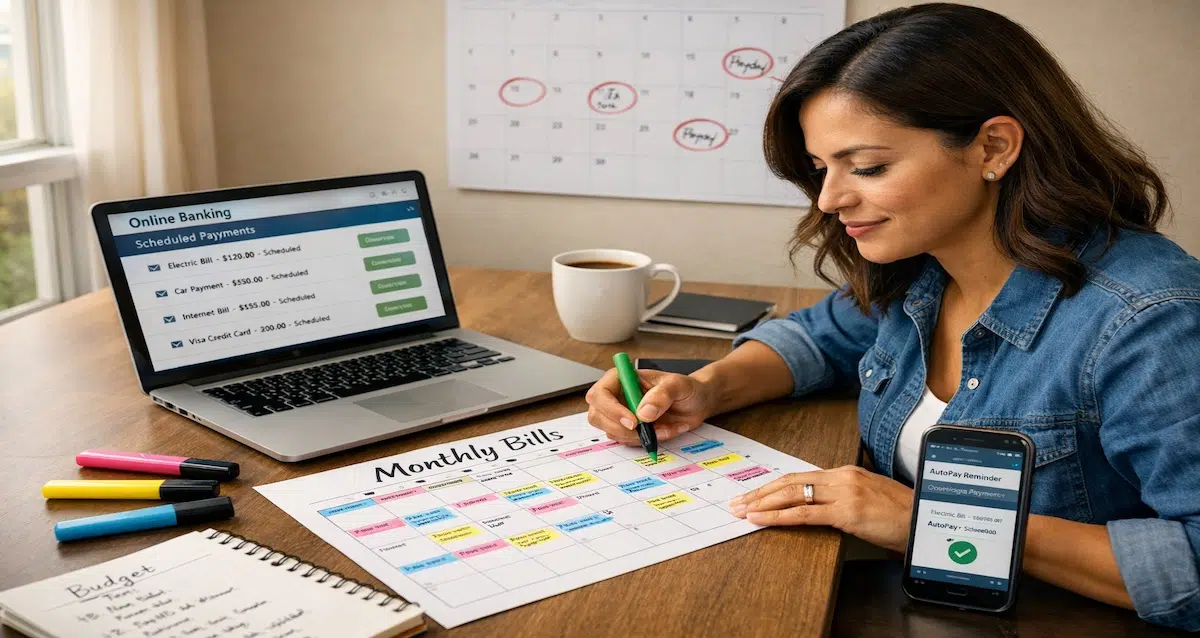
Even with full automation, you need visibility into what's happening when. A bill calendar provides this at a glance.
What Goes on the Bill Calendar
- Paycheck deposits: Dates and amounts
- Bill due dates: Every automated payment
- Statement closing dates: For credit cards (for strategic payment timing)
- Variable bill notifications: When utility companies send bills
- Subscription renewals: Annual or quarterly subscriptions
How to Use the Bill Calendar
Weekly review (5 minutes):
- Check upcoming week's bills
- Verify bills account has sufficient balance
- Review any variable bills that arrived
- Make strategic credit card payments before statement closes
Monthly review (15 minutes):
- Verify all bills paid correctly
- Check for unauthorized charges
- Review subscription utility
- Adjust buffer if bills increased
Quarterly review (30 minutes):
- Full subscription audit
- Evaluate all automated bills for cost increases
- Negotiate better rates where possible
- Update bill calendar with any changes
Sample Bill Calendar (Biweekly Pay)
| Date | Event | Amount |
|---|---|---|
| 1st | Paycheck deposits | $2,200 |
| 2nd | Auto-transfer to bills account | $1,200 |
| 3rd | Rent autopay | $1,400 |
| 5th | Electric bill (variable) | $150-250 |
| 8th | Car payment autopay | $380 |
| 10th | Credit card statement closes | Make payment before |
| 12th | Insurance autopay | $150 |
| 15th | Paycheck deposits | $2,200 |
| 16th | Auto-transfer to bills account | $1,200 |
| 18th | Internet autopay | $70 |
| 20th | Phone autopay | $85 |
| 25th | Subscriptions (Netflix, gym, etc.) | $45 |
The Emergency Override System
Automation should make life easier, not trap you. Build in override capabilities for emergencies.
When to Override Automation
- Job loss or income reduction: Immediately pause non-essential autopay
- Unexpected major expense: Temporarily redirect bill money to emergency
- Account compromise: Freeze all automation until security restored
- Bank errors: Stop autopay while resolving issues
How to Build Override Capability
1. Document all autopay credentials
- Keep list of every automated bill with login information
- Store in password manager or secure document
- Update when adding/removing automated payments
2. Know the cancel timeline for each bill
- Some autopay can be cancelled same-day
- Others require 2-3 business days notice
- Know which bills have which timelines
3. Maintain emergency contact numbers
- Customer service numbers for all major billers
- Bank fraud department numbers
- Credit card dispute hotlines
4. Keep manual payment capability
- Don't delete all other payment methods
- Maintain ability to pay manually if needed
- Keep checkbook or other backup payment options
Critical Rule: Never automate bills you might need to pause in an emergency. If your job security is uncertain, automate only essential bills (housing, insurance, transportation) and manually pay discretionary expenses until stability returns.
Common Bill Automation Mistakes
Avoid these errors that derail even well-intentioned automation systems:
Mistake 1: Automating Before Organizing
The error: Clicking "autopay" on every bill without first setting up proper account structure or cash flow alignment.
The consequence: Money chaos, overdrafts, missed payments despite automation.
The fix: Complete account separation, due date alignment, and buffer building BEFORE automating payments.
Mistake 2: Setting Everything to "Full Balance"
The error: Setting all bills, especially credit cards, to maximum autopay thinking it's the "responsible" option.
The consequence: Credit score damage from poor utilization timing, loss of cash flow flexibility, unexpected large withdrawals.
The fix: Use minimum autopay for credit cards, manual strategic payments for optimization. Use "full balance" autopay only for fixed bills.
Mistake 3: No Monitoring After Setup
The error: Treating automation as "set and forget," never checking accounts or statements.
The consequence: Unauthorized charges continue for months, price increases go unnoticed, errors compound.
The fix: Weekly 5-minute reviews, monthly 15-minute audits, quarterly 30-minute deep dives.
Mistake 4: Automating Without Buffer
The error: Running bills account at zero balance, relying on perfect timing between deposits and withdrawals.
The consequence: One day timing difference causes overdraft fees, stress, and system failure.
The fix: Build and maintain permanent one-month bill buffer before relying on full automation.
Mistake 5: Ignoring Variable Bill Patterns
The error: Treating variable bills (utilities) the same as fixed bills without budgeting for fluctuations.
The consequence: Summer electric bill doubles, winter heating triples, budget breaks.
The fix: Budget for highest historical amount, set alerts for bills exceeding thresholds, adjust buffer seasonally.
Mistake 6: Single Point of Failure
The error: Routing all bill payments through one bank account or one payment method with no backup.
The consequence: Account freeze, card expiration, or bank error causes all bills to fail simultaneously.
The fix: Maintain backup payment methods, split critical bills across two accounts, keep emergency fund accessible.
Frequently Asked Questions
A: Automate fixed bills completely (rent, insurance, car payment). Automate variable bills with monitoring (utilities, phone). Keep strategic bills (credit cards) on minimum autopay with manual optimization. Never automate bills you might need to pause in an emergency (subscriptions, discretionary expenses) if job security is uncertain.
A: Minimum one month of total bills. If you have variable income or irregular expenses, increase to 1.5-2 months. Calculate: Add up all monthly bills (fixed + average variable), then keep that amount permanently in your bills account. This prevents overdrafts when timing gets off or unexpected bills arrive.
A: Build it gradually over 3-6 months by adding $200-400 monthly until you reach target. Start with partial automation (essential bills only) and add more bills as buffer grows. Don't fully automate until buffer is complete, or timing mismatches will cause overdrafts.
A: Use company autopay (creditor-initiated) for better legal protection and easier dispute resolution. Bank bill pay (bank-initiated) works for companies that don't offer their own autopay, but gives you less recourse if errors occur. Credit cards should always use the card issuer's autopay, not bank bill pay.
A: Set up calendar reminders 3-5 days before due date, use bank bill pay to schedule recurring payments, or switch to providers that offer modern payment options. For landlords or small businesses without autopay, set up ACH transfers through your bank on a recurring schedule.
A: This is why the buffer method is critical. With a one-month buffer, delayed paychecks don't cause overdrafts—bills withdraw from the buffer, which you replenish when the paycheck arrives. Without a buffer, you'd need to manually pause automation or risk overdrafts. The buffer provides flexibility for income timing issues.
Build Your Complete Automated Bill System
Bill automation is just one component of an effective financial system. When combined with proper account separation, strategic banking structure, and smart payment timing, automation transforms from a risk into a powerful money management tool.
For comprehensive guidance on building your complete banking and bill payment system, see our guide on the modern banking stack.
Ready to get organized? Start with our guide on separating spending, saving, and bills to build the account structure that makes automation safe and effective.
Resources
Disclaimer: This article provides educational information about bill automation, cash flow management, and overdraft prevention strategies. It is not financial advice. Results from implementing automation strategies vary based on individual income patterns, bill structures, and banking relationships. Overdraft fees, autopay policies, and account terms vary by financial institution. Always verify your specific bank's policies and bill payment options with providers. The author has no financial relationships with mentioned companies and receives no compensation for referrals. For personalized financial advice, consult with a qualified financial professional.