Updated: April 26, 2026
Home › Budgeting & Savings › Budget Structure & Cash Flow › Track Every Dollar Without a Spreadsheet
TL;DR
— Most people lose track of small daily purchases that collectively drain hundreds per month — the fix is not a stricter budget but a visibility system that shows where money actually goes.
— Zero-based budgeting gives every dollar a predetermined job before it can wander into unintended spending.
— Modern tracking apps automate the tedious categorization work that causes most people to abandon manual tracking within weeks.
— Daily five-minute check-ins and weekly ten-minute reviews replace month-end panic with continuous low-effort awareness.
— A quarterly subscription audit reclaims $60 to $100 per month from charges that accumulate invisibly — services signed up for and forgotten.
— Tracking and budgeting are complementary but different: budgeting is the plan, tracking is the record, and the gap between them is where real financial decisions happen.
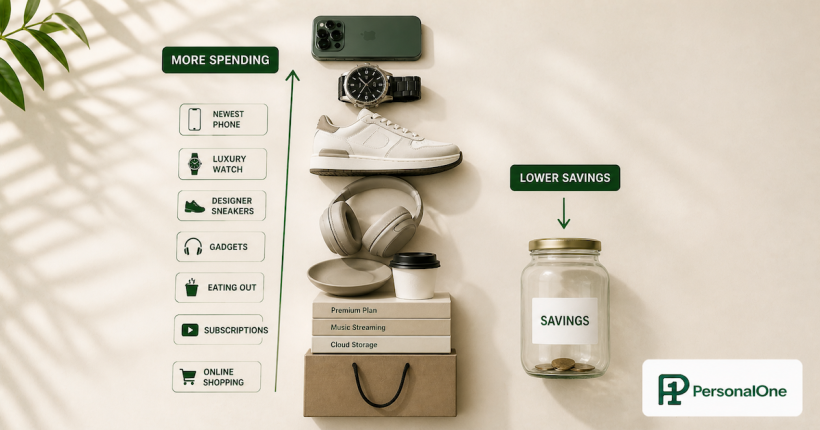
Money does not disappear. It wanders. A streaming service renews and gets forgotten. A coffee shop visit three times a week does not feel like a budget line item. A delivery app convenience charge gets rationalized as occasional and stays occasional right up until the monthly statement shows it was not. None of these are dramatic financial errors. Together they produce a gap between what people think they spend and what they actually spend that typically runs $200 to $400 per month.
The solution is not a stricter budget. It is visibility. When the actual spending pattern is visible — not estimated, not assumed, actually visible — the decisions that follow are fundamentally different from decisions made against a guess. The budget structure and cash flow system that produces financial progress is built on accurate data, not on willpower applied to an inaccurate mental model of spending.
This guide covers the complete tracking system: zero-based budgeting as the framework, app-based automation as the tool, daily and weekly check-ins as the habit, and subscription audits as the recurring maintenance that keeps silent leaks from reopening. For readers whose spending visibility reveals a deeper paycheck-to-paycheck pattern, the framework for breaking the paycheck-to-paycheck cycle builds directly on the data this tracking system produces.
Step 1 — Start With a Zero-Based Budget
Zero-based budgeting assigns every dollar of income to a specific category before spending begins. Income minus all category allocations equals zero. Not because there is nothing left — but because everything has been intentionally directed somewhere. Savings is a category. Fun spending is a category. An unallocated dollar is a wandering dollar, which is precisely what zero-based budgeting eliminates.
Start with total monthly take-home income. List every spending category: rent, utilities, groceries, transportation, dining out, entertainment, subscriptions, savings contributions, debt payments, and a miscellaneous buffer for the unpredictable. Assign amounts to each category until the income is fully allocated. The budget is complete when income minus all allocations equals zero.
Zero-Based Budget Setup Checklist
☐ Calculate monthly take-home income (after taxes and payroll deductions)
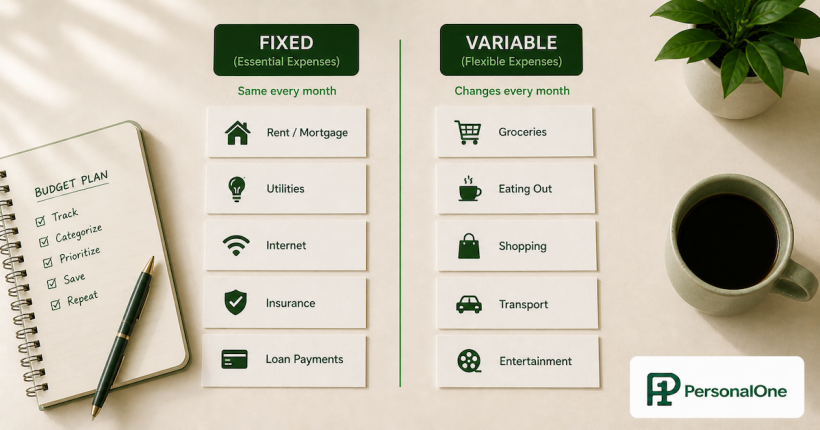
☐ List all fixed monthly obligations (rent, utilities, insurance, minimum debt payments)
☐ List variable categories with realistic monthly caps (groceries, dining, entertainment)
☐ Assign savings and investment contributions as non-negotiable categories
☐ Add a miscellaneous buffer of $50 to $150 for genuinely unpredictable small expenses
☐ Confirm income minus all allocations equals zero
☐ Review and adjust mid-month if income or expenses shift
Why it works: intentional allocation transforms spending from reactive to deliberate. A coffee purchase that fits within the pre-allocated dining category is not a guilt purchase. It is a planned one. The guilt comes from spending without a plan, not from spending on things that matter. The how to build a budget that actually works guide covers the complete first-budget construction sequence including how to set realistic category targets from actual spending data rather than aspirational estimates.
Step 2 — Use a Tracking App That Automates the Work
Manual tracking — entering every transaction by hand into a spreadsheet — fails for most people within four to six weeks. The data entry friction compounds. A busy week gets partially entered and then abandoned. The partial data is less useful than no data. The tracking habit collapses under its own maintenance burden.
Modern budgeting apps eliminate most of that friction by connecting directly to bank accounts and credit cards, pulling transactions automatically, and categorizing them using pattern recognition. The user's job shrinks to reviewing auto-categorized transactions for errors and confirming that the categories match the zero-based budget framework. Most people find this takes two to three minutes per day rather than the 20 to 30 minutes that manual tracking requires. The full system of automating your money tracking — account connections, transfer sequencing, and alert configurations — sits on top of this tracking foundation and reduces ongoing management further.
What to evaluate when selecting a tracking app: automatic multi-institution account syncing, transaction categorization accuracy, ability to create custom categories that match your specific budget structure, subscription detection that flags recurring charges automatically, visual spending dashboards, and savings goal tracking with progress indicators. Most apps that connect to financial institutions use bank-level encryption. Verify the app's security practices before linking accounts.
For the complete technical setup of connected accounts, Plaid connections, merchant-level category rules, and the automation configurations that make tracking fully hands-off, the track spending without manual entry guide covers the full account connection and rule configuration sequence. This article focuses on the behavioral system built on top of that technical foundation.
Step 3 — Automate Categories and Let the App Do the Sorting
Categorization fatigue is the most common reason tracking habits collapse. Manually sorting 50 or more transactions every week requires consistent effort that competes with every other demand on time and attention. When the effort exceeds the perceived value, the habit stops.
Intelligent auto-categorization addresses this directly. Most apps use machine learning to recognize merchants and assign transactions to appropriate categories automatically — typically reaching 90 percent accuracy within the first week as the algorithm learns spending patterns. Custom rules accelerate this: teach the app once that a specific merchant belongs in a specific category and it applies that rule indefinitely. Over time the daily review task becomes confirming that everything looks right rather than doing the categorization work itself.
Category structure that works long-term: start with 8 to 12 broad categories rather than 30 to 40 specific ones. Housing, transportation, groceries, dining out, entertainment and subscriptions, shopping and personal care, healthcare, debt payments, savings, and miscellaneous cover the spending patterns of most people. Add subcategories only when a broad category is producing behavior you want to understand more specifically — if dining out is running high, splitting it into restaurants, takeout, and coffee provides actionable insight. If it is not a problem category, the broad label is sufficient and simpler to maintain.
Step 4 — Build the Daily and Weekly Check-In Habit
Tracking is not a set-and-forget activity. It requires consistent touchpoints to maintain the visibility that produces different decisions. Those touchpoints do not need to be long. They need to be regular.
Daily check-in — 5 minutes: Open the tracking app and confirm three things. Are transactions from yesterday categorized correctly? Did anything post that was not expected? Is any variable category approaching its monthly allocation? That is the entire check-in. No math, no balancing, no decisions required unless something flagged during the review warrants attention.
Weekly review — 10 minutes: Once per week, review spending category by category against the zero-based budget allocations. If the month is two weeks old, spending in each variable category should be approximately 50 percent of the monthly allocation. Categories running significantly ahead of pace have two weeks to be corrected. Categories running ahead that cannot be corrected identify budget lines that need to be increased next month with compensating reductions elsewhere. The weekly review is the mechanism that converts daily awareness into monthly results.
The daily and weekly cadence prevents the month-end reckoning that characterizes budgeting without ongoing tracking. By the time the last day of the month arrives, the pattern has been visible for four weeks. There are no surprises because nothing was hidden. The weekly money review system covers exactly how to structure this check-in as a repeatable 15-minute routine that keeps the automated system accurate without expanding into a time-consuming analysis session.
Step 5 — Set Savings Goals and Track Progress
Tracking is not only about identifying where money is going. It is about confirming that money is moving toward goals as planned. A tracking system that only measures spending without measuring progress toward savings targets gives an incomplete picture of financial health.
Assign each savings goal a dedicated sub-account or labeled savings bucket within the tracking app. Emergency fund. Travel fund. Car maintenance reserve. Down payment. Each goal should have a target amount and a monthly contribution confirmed through the zero-based budget. The tracking app makes progress visible: the emergency fund balance relative to the three-to-six month target, the travel fund balance relative to the trip cost, the car reserve balance relative to estimated annual maintenance costs.
Automated payday transfers fund these goals before discretionary spending begins. The tracking app confirms the transfers executed. The combination of pre-commitment through automation and visibility through tracking is what converts savings intentions into savings outcomes. Intention without visibility is motivation without accountability. Automation without visibility is execution without confirmation.
Step 6 — The Quarterly Subscription Audit
Subscriptions are the most reliably underestimated budget line for most people. The average person has more active paid subscriptions than they can recall unprompted — streaming services, fitness apps, software subscriptions, news paywalls, cloud storage tiers, professional memberships, and delivery service trials that converted to paid tiers. Each one is a small amount. Collectively they accumulate to $60 to $100 per month for many people, which is $720 to $1,200 annually flowing to services that provide no active value.
Quarterly subscription audit process: use the subscription detection feature in the tracking app, or pull 90 days of bank and credit card statements and identify every recurring charge. List each subscription, its monthly or annual cost, and the date it was last actively used. Apply one test: has this been used in the last 30 days? Anything that fails the test gets canceled. Not paused, not intended to be canceled — canceled before closing the browser tab.
Set a calendar reminder four times per year for the audit: January, April, July, and October. Annual subscriptions auto-renew at unexpected times. New subscriptions accumulate between audits. The quarterly cadence catches both before significant money has already been spent on unused services.
Step 7 — Visual Dashboards: Make the Data Instantly Readable
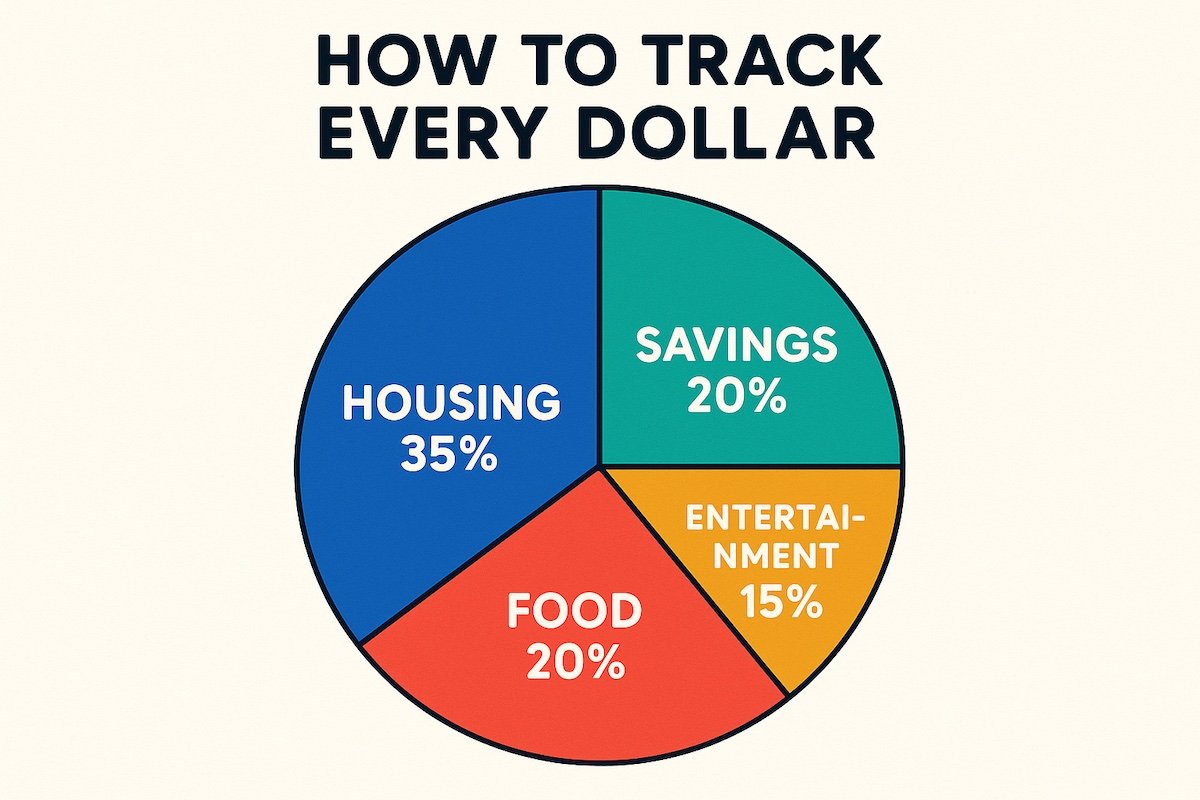
Abstract numbers require mental effort to process. Visual representations of the same data produce immediate understanding. A spreadsheet showing $450 in dining out last month requires interpretation. A pie chart showing that dining out consumed 22 percent of last month's total spending produces immediate context — is that more or less than intended? What else is that share of the budget displacing?
Most modern tracking apps provide several visual formats worth understanding. Category breakdowns by percentage show which areas consume the largest share of income. Month-over-month trend lines show whether a category is growing, shrinking, or stable. Net worth trackers that aggregate assets and liabilities show the cumulative financial direction independent of any single month's cash flow. Goal progress bars show the gap between current savings and targets in a format that registers emotionally rather than just numerically.
The visual layer matters because the goal of tracking is not data collection. It is behavioral change. Data that requires effort to interpret produces less behavioral change than data that is immediately and intuitively understandable. Seeing that dining out consumes a specific percentage of income is more actionable than seeing a dollar amount in isolation. When the data is clear, the next step is understanding the spending habits behind your numbers — the behavioral patterns that produce those category totals month after month regardless of how well the tracking system captures them.
Common Tracking Mistakes and How to Avoid Them
Over-complicating categories. Creating 40 or 50 highly specific categories produces categorization work that exceeds the insight value. Start with 8 to 12 broad categories. Add specificity only where a category is producing actionable questions. If dining is a problem area, splitting it into restaurants, takeout, and coffee provides useful data. If it is not a problem, the broad category is sufficient and simpler to maintain consistently.
Only checking at month-end. Reviewing spending on the last day of the month reveals what happened. It does not provide the two to three week window within which adjustments could still affect the month's outcome. Daily micro-checks and weekly reviews convert tracking from a historical record into an active management tool.
Treating cash as invisible money. Cash transactions do not appear in app feeds automatically. A $100 cash withdrawal that gets spent on coffee, parking, and lunch needs to be manually categorized against the appropriate budget lines. Either track cash spending in a dedicated cash category or retain receipts and enter the breakdown during the daily check-in. Cash that disappears without categorization creates a gap in the visibility picture that defeats the purpose of tracking.
Quitting after one bad week. A week where spending exceeds budget is information, not failure. It shows which categories have insufficient allocation or which spending behaviors are harder to moderate than estimated. Consistent tracking through imperfect weeks produces the pattern data that makes accurate budgeting possible. Quitting after a difficult week discards the most valuable data points the system has generated.
Tracking gives you awareness. The complete framework builds from here.
The Budgeting & Savings hub covers the full system — from spending visibility through cash flow structure, savings automation, and long-term wealth building.
Explore the Budgeting & Savings Hub →Resources
CFPB — Budget Worksheet and Planning Tools
CFPB — Track Your Spending With This Easy Tool
Continue Learning About Budgeting & Savings
This article covers the behavioral tracking system that keeps a budget accurate and visible. The complete framework for connecting spending visibility to cash flow structure and long-term wealth building is in the Budgeting & Savings authority hub.
Frequently Asked Questions
Do I have to use an app to track spending?
No. Notebooks, spreadsheets, and physical cash envelopes all work. Consistency matters more than the platform. That said, apps that sync automatically with bank accounts eliminate the data entry friction that causes most manual tracking efforts to fail within weeks. If manual tracking has been tried and abandoned before, a bank-connected app removes the primary obstacle that caused the previous attempt to stop.
What if my income is not steady?
Budget based on the lowest monthly income from the past six months. This ensures essential obligations are covered even in lean periods. During above-average income months, immediately allocate the surplus before it gets absorbed by unplanned spending: some portion to the emergency fund buffer, some to debt payoff, some to irregular expense savings. Track spending the same way regardless of income level — the categories do not change when income varies, only the allocation amounts do.
How detailed should the spending categories be?
Start with 8 to 12 broad categories: housing, transportation, groceries, dining out, shopping and personal care, entertainment and subscriptions, healthcare, debt payments, savings, and miscellaneous. Add subcategories only where a broad category is producing questions you want to answer more specifically. Over-categorization at the start is one of the most reliable ways to make tracking feel like too much work too quickly.
What is the difference between tracking and budgeting?
Budgeting is planning — deciding in advance how much to allocate to each category based on income and goals. Tracking is recording — documenting what actually got spent after the fact. The value emerges from doing both and comparing the results. The gap between the budget plan and the tracked reality is where the most useful financial information lives. Most effective cadence: budget monthly, track daily, reconcile weekly.
How long before tracking produces noticeable results?
Spending pattern awareness begins within the first week — patterns that were invisible become visible as soon as the data starts accumulating. Behavioral changes that follow from awareness typically take two to three months to become habitual. Financial impact from the first subscription audit, the first identified billing error, and the first conscious reduction in an overspending category usually appears within the first 30 days. Tracking does not require three months to start producing measurable results — it requires three months to become self-sustaining.
Should investments and assets be tracked too?
Yes, if a complete financial picture is the goal. Linking retirement accounts, brokerage accounts, and other assets to the tracking system produces net worth visibility — total assets minus total liabilities — which provides a more meaningful measure of financial progress than monthly cash flow alone. Net worth can be growing even during months when cash flow is tight, and seeing that growth is motivating in a way that monthly budget adherence alone cannot produce. Check investment account balances monthly rather than daily to avoid emotional reactions to normal market fluctuations.
What if finances are shared with a partner?
Three approaches work depending on how finances are structured. Fully combined: all accounts linked to one shared tracking view with both partners having full visibility. Hybrid — most common: shared expenses tracked jointly with each partner maintaining separate tracking for individual spending. Separate: each person tracks independently with a simple shared record for joint bills. The most important element is agreeing on which approach to use and committing to consistent tracking within that structure. Inconsistent tracking within a shared household produces incomplete data that is less useful than either person tracking independently and consistently.
Disclaimer: This article is for educational purposes only and does not constitute financial advice. Tracking tools, app features, and bank connectivity vary by institution and platform. Always verify security practices before linking financial accounts to third-party applications. PersonalOne is not responsible for decisions made based on this content.